Checking marketplace's landing information
Customers can also check the information provided on the website's home page.
The firstmain thingnavigation thatprovides appearsaccess onto dedicated sections for customers, providers, the homemarketplace, pageand isthe it'scompany bannerblog. whichThe hasprimary twocall-to-action buttons inallow it: (1) Learn More button which leadsusers to thestart project's website and (2) Watch video button which leads toeither a project'scustomer informativejourney video.
Righta underprovider onboarding journey, guiding them toward the banner,most thererelevant isplatform a search bar. Here you can write whatever keyword you want to search by and then when you click the search button this will lead you to the Search page filtering the offerings by that keyword.
The next section shows 8 of the available categories that can be used to filter the products. If you click on View services you'll be redirected to the search page filtering by that category.experience.

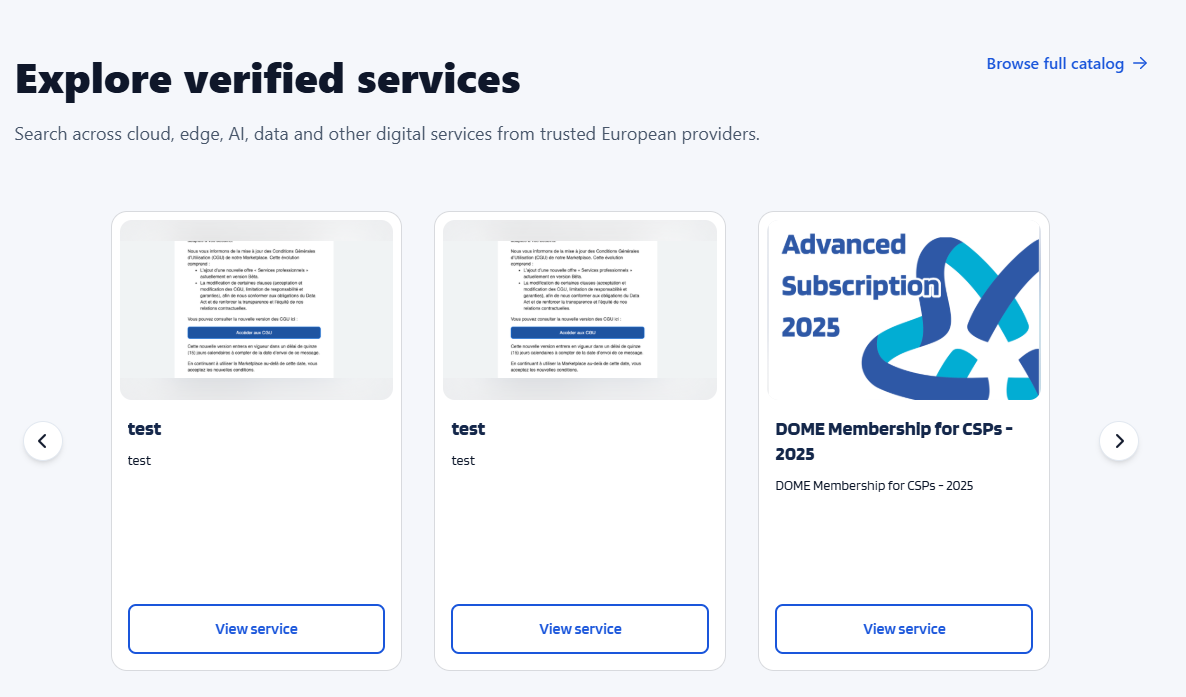
The next thing on the Home page isallows users to explore verified services available on the PlatformDOME benefitsmarketplace. sectionServices whichare basicallypresented showsin a listcarousel offormat, benefitsdisplaying thatkey thisinformation platformsuch offers.as the service name, description, and preview image. Users can navigate through the catalog using the carousel controls, access the complete catalog via the “Browse full catalog” link, or open individual service pages through the “View service” button to learn more about a specific offering.