Login into the Credential Issuer
-
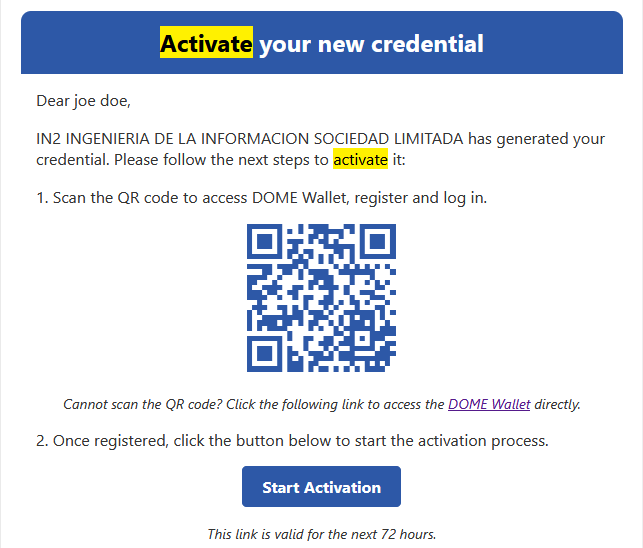
From the moment of the creation of a new Credential the link forAccess the CredentialSubjectIssuerto-
Visit the
CredentialDOMEhaveIssuerabylifespanclickingof 72 hours. Ifon theCredentialfollowingSubjectlink:didn'tDOMEdownloadIssuer.
download -
-
Access the
CredentialLoginin-
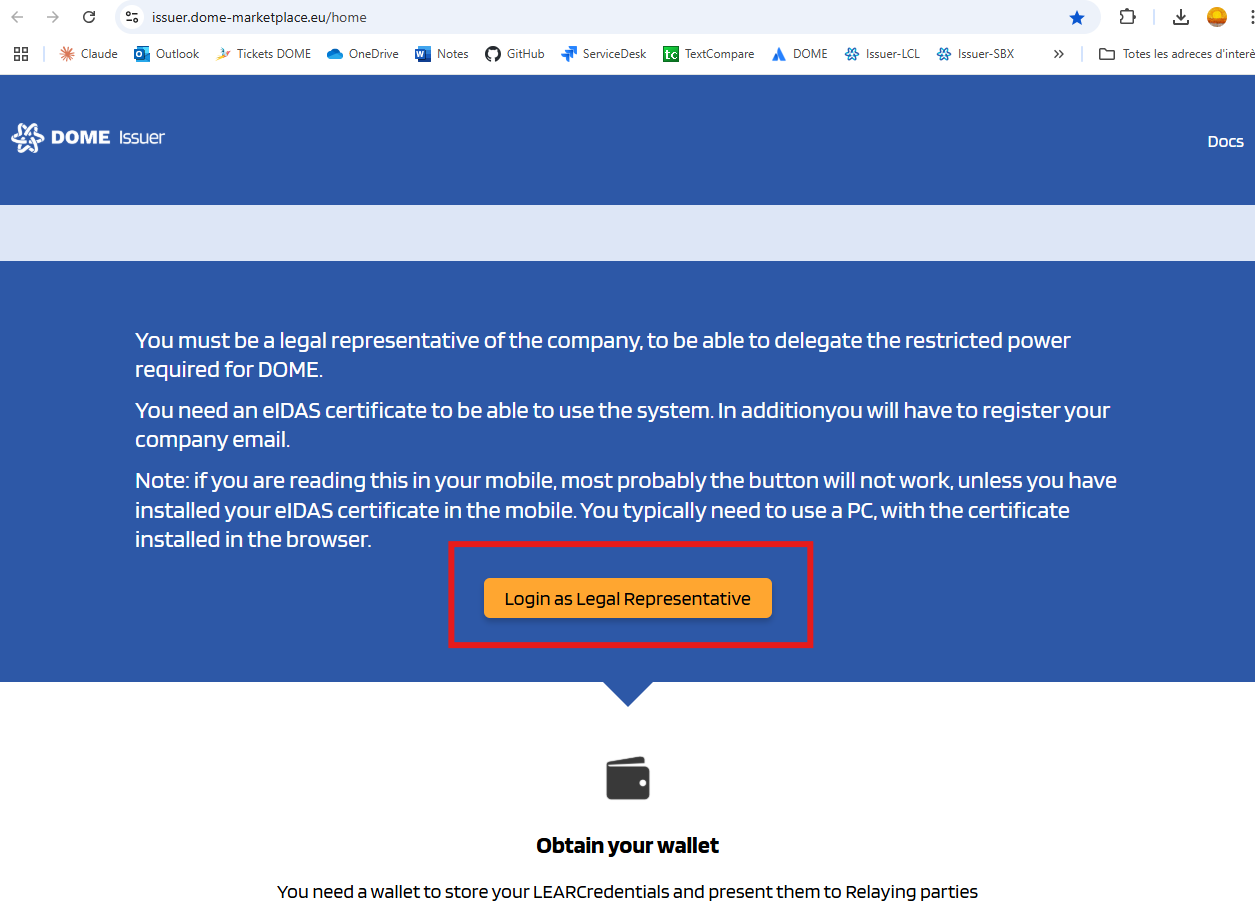
timeScroll
or fails to do it there is an option to send a fresh e-mail notificationdown to theCredential"LoginSubjectaswithLegaltheRepresentative"instructionbuttonand -
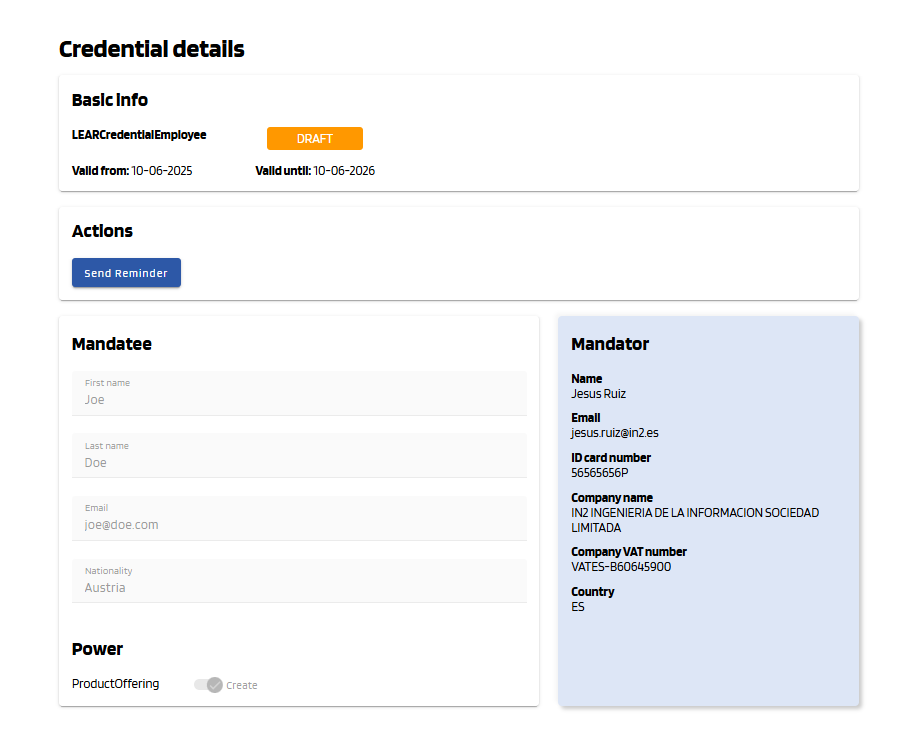
newfunctional link to start the process. To do so click on the status of the Credential to access its details.
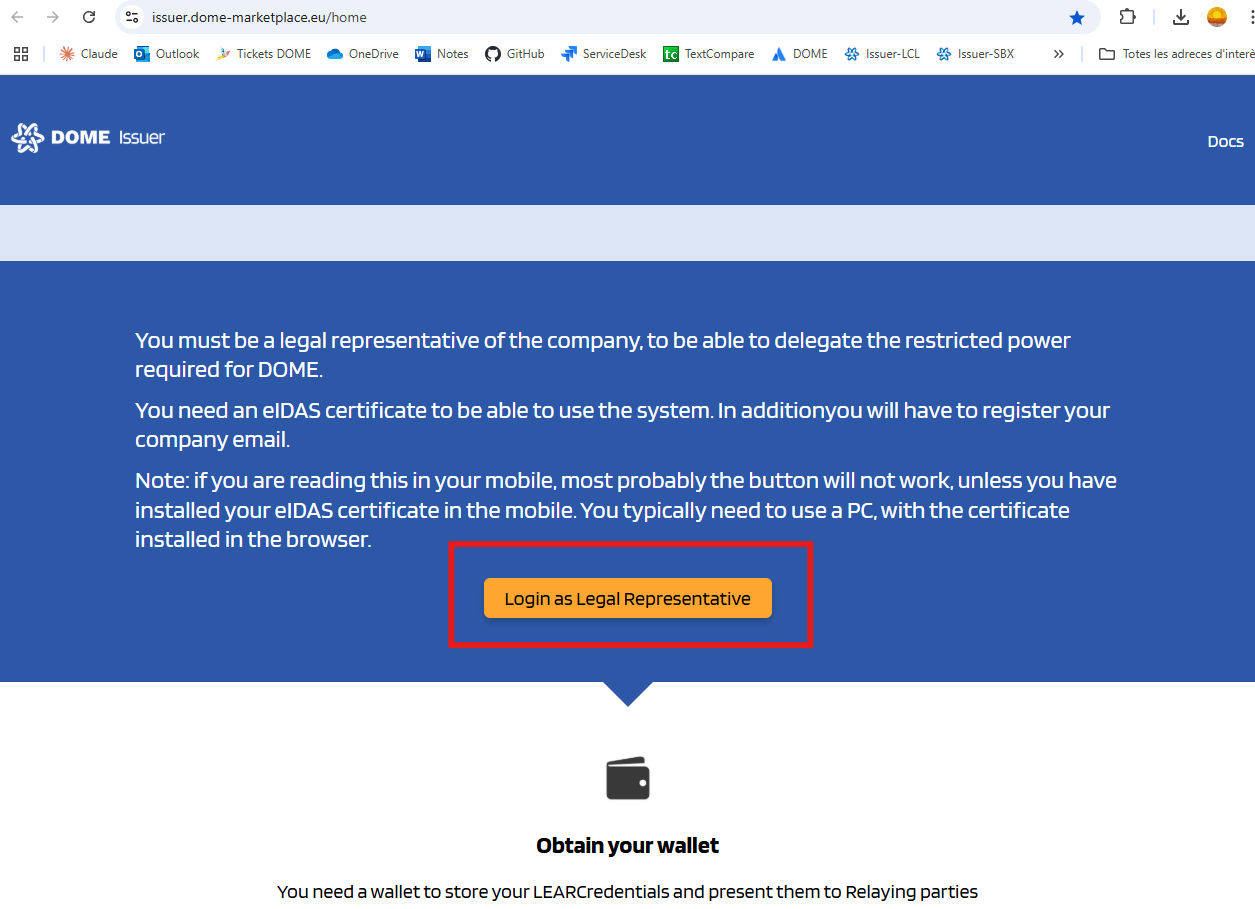
thata -
-
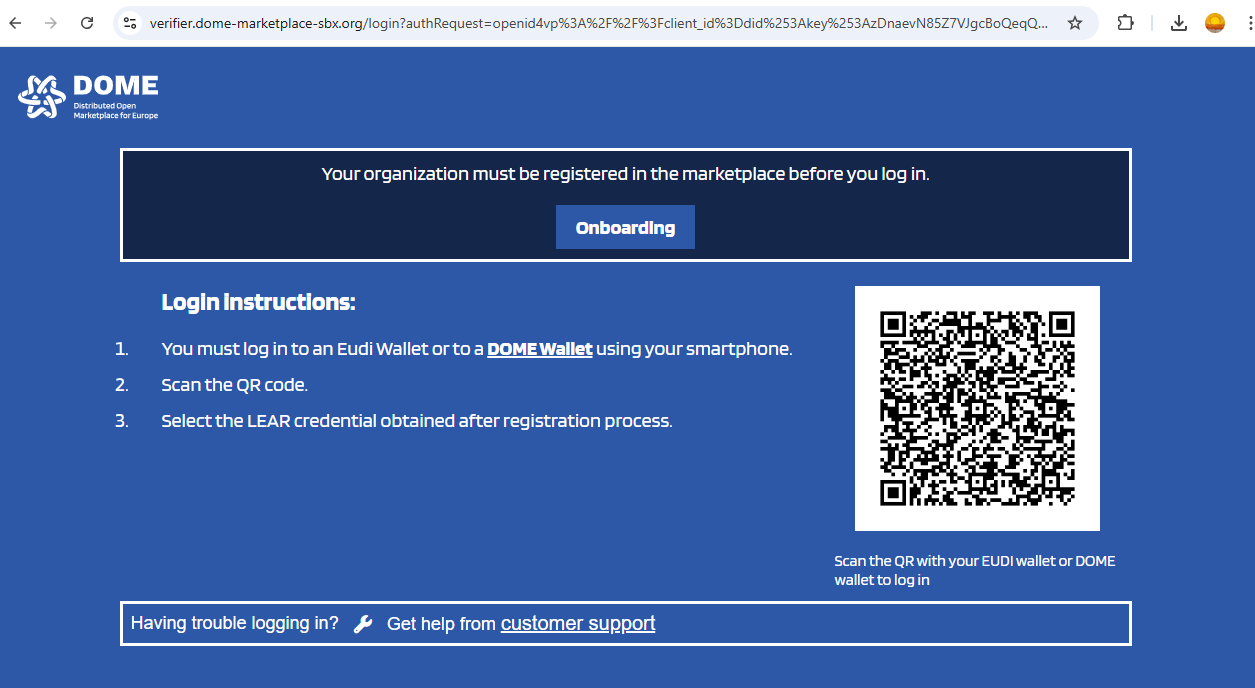
Log In.
-
Scan the QR
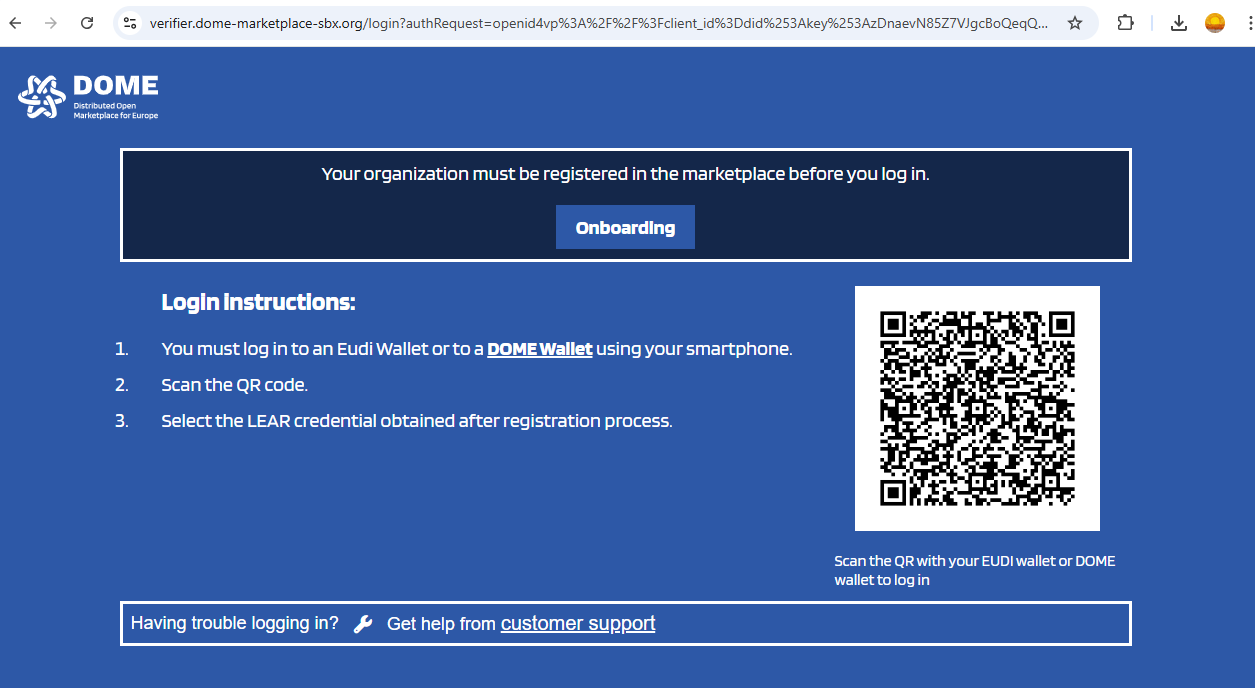
-
-
You will enter the issued credentials list view
-
In the
detailsinitial viewclick the "Send Reminder" button.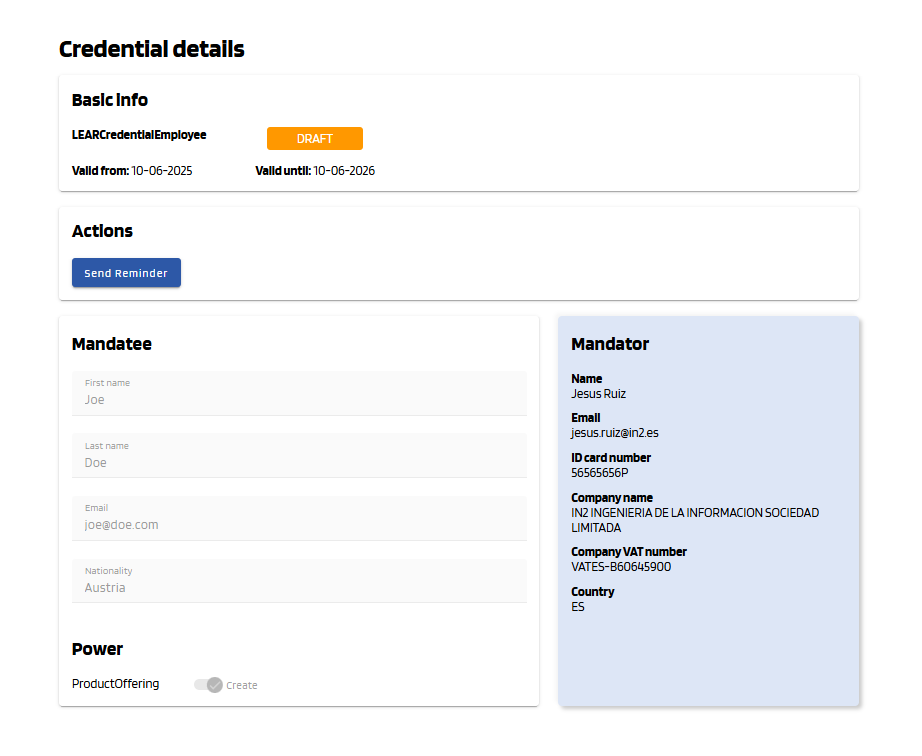
The Credential Subject will receive the new email notification to start de process again.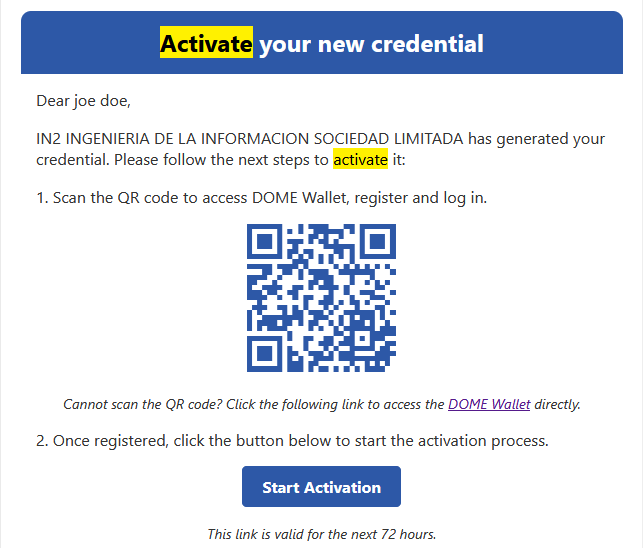
For any other issuesyou cancontactsee all thetechnicalissuedsupport teamcredentials bycreatingtheacurrentticketuser/organization:onticketing
system -