
Navigating and actions on the Tender Dashboard ( Customer )
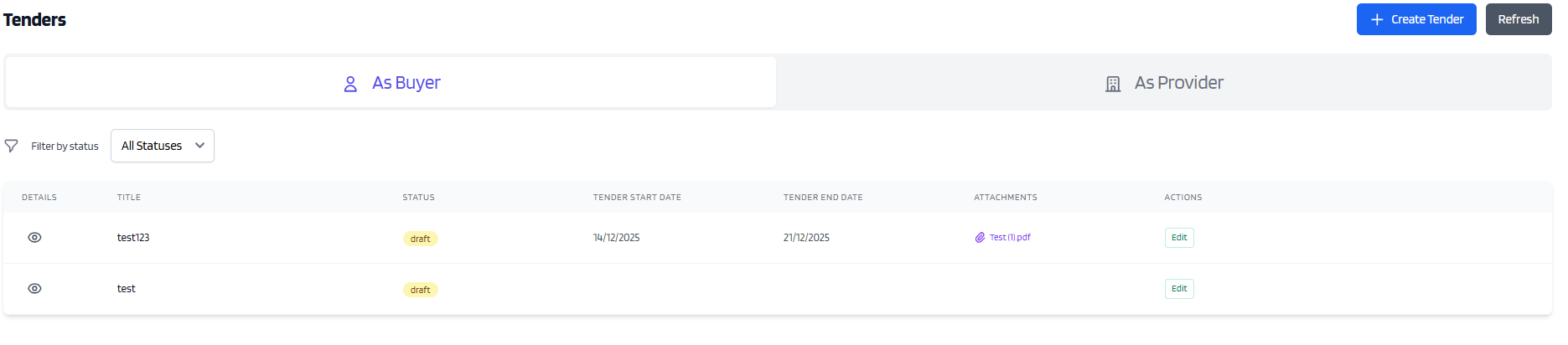
The first thing we might see in the Dashboard are Tenders that are still in status Draft.
Clicking the Eye icon, will show the title you inserted.
Clicking the Edit button, will open the window to finish creating the tender.
WARNING: Image has old layout
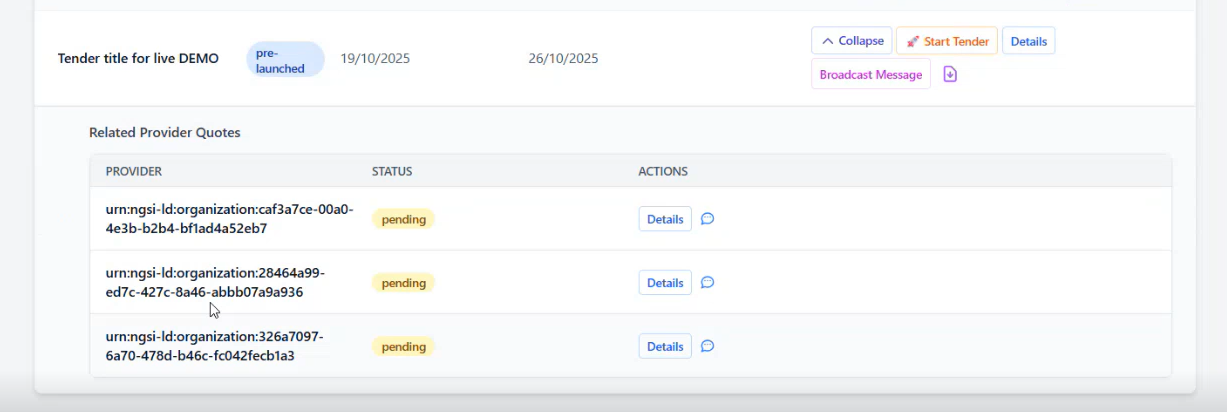
A tender that is no longer in Draft, can be expanded.
Clicking the expand arrow next to the Eye icon will show the related quotes, one for each provider
Once this phase is over, the tender moves into status Launched
In status Launched, the providers can upload a proposal in PDF form.
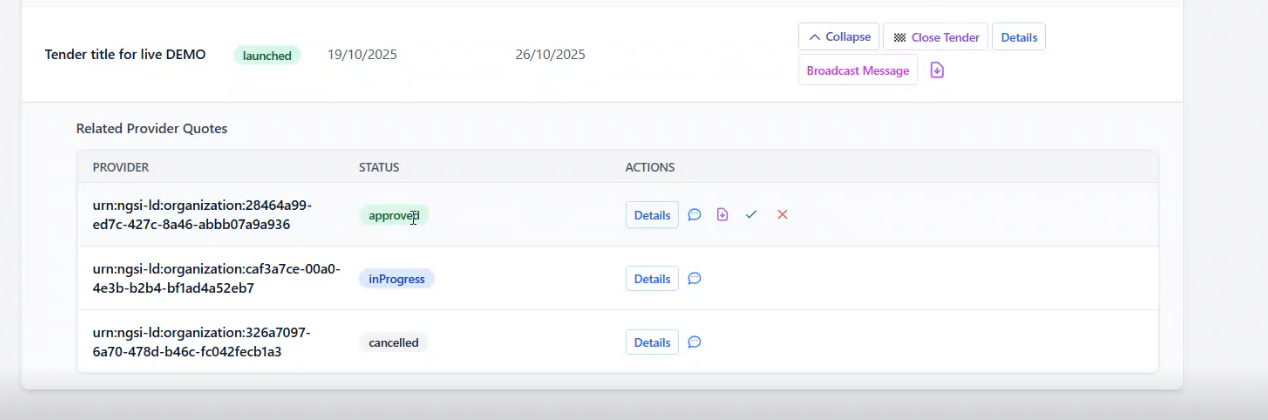
The customer can download the file that the Provider uploaded, accept or reject the proposal.
Accepting a proposal will move into status Rejected all the other quotes
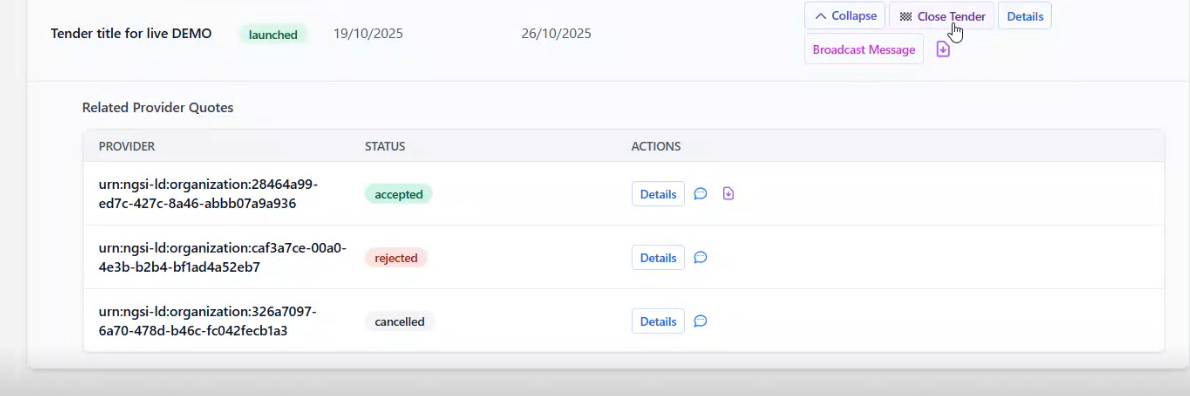
For More information on the single quotes functionalities, you can check the guide here Quote Guide