
How to: Create a new account
The procedure for requesting an account is as follows:
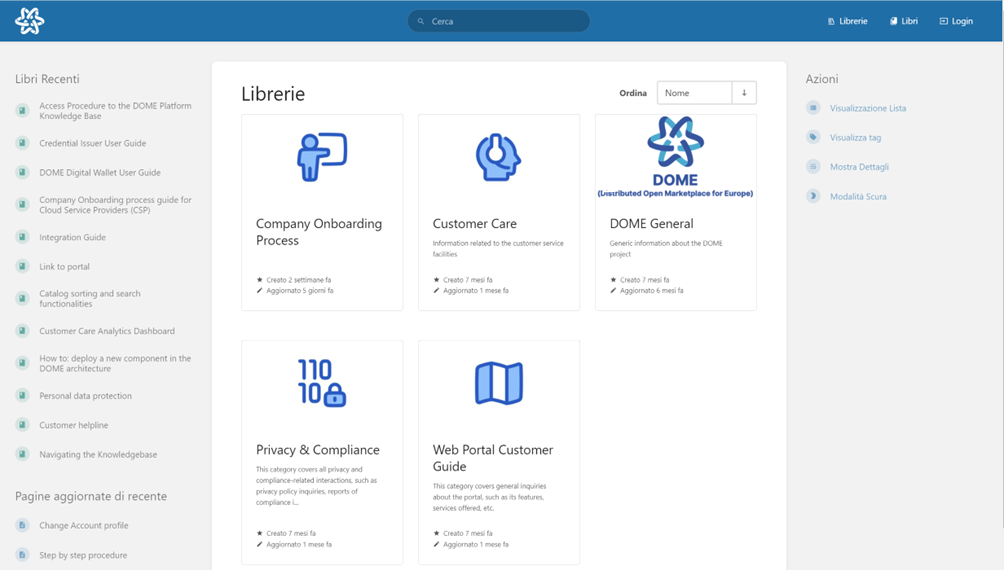
• Open a web browser and go to the URL: https://knowledgebase.dome-marketplace-prd.org
• Click on the “ LOGIN” option at the top right, as you can see from the screenshot below.
- Click the "Register" option at the bottom of the page, next to "New User?".
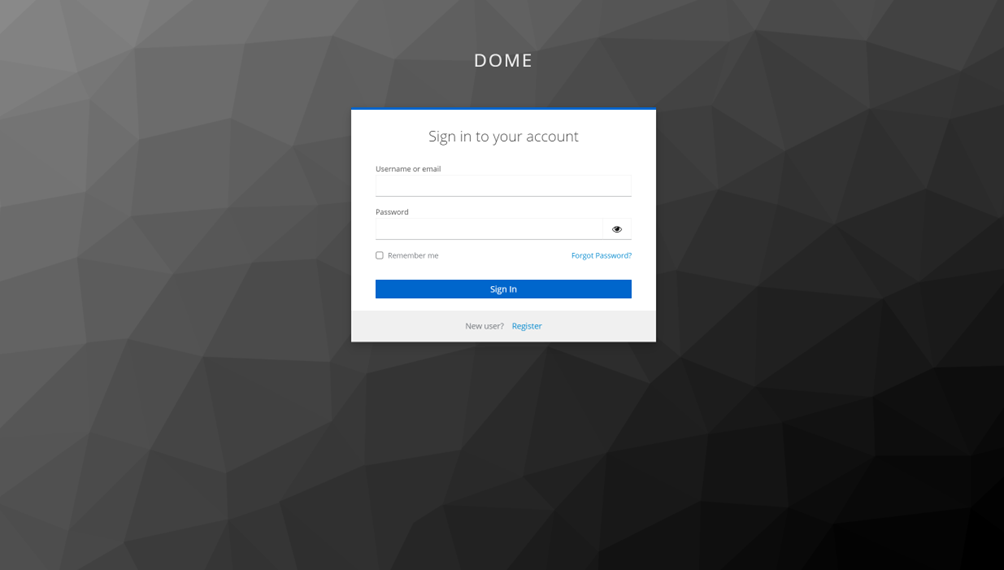
-
Enter the information necessary to create your account: username, password, confirmation password, email address, name and surname. Then, click on the “Register” button
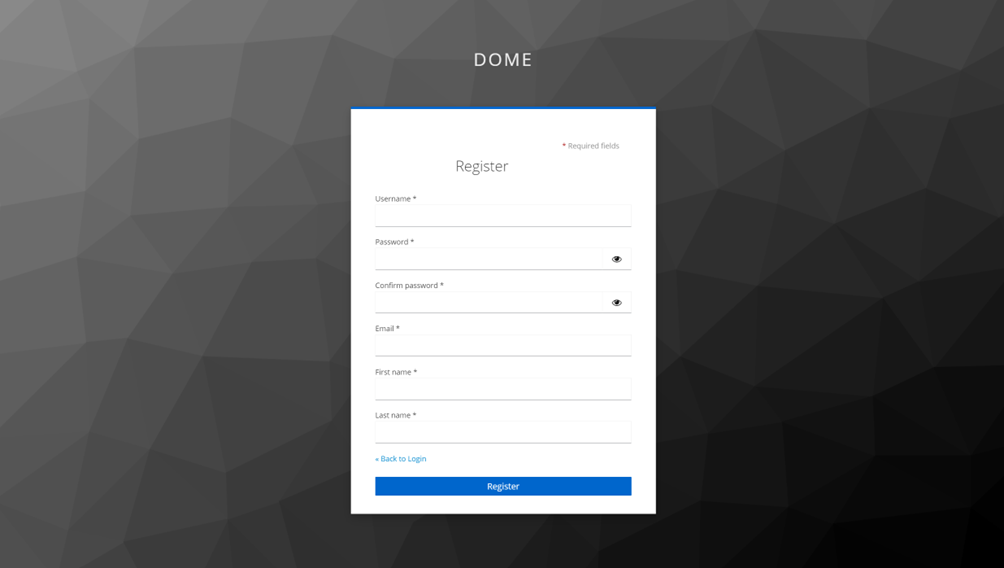
• Once the procedure has been completed, you will receive an email confirming registration.
Registration generates an account with a "Public" profile, if you need to change your profile, see the next"How pageto: request profile change" (https://knowledgebase.dome-marketplace-prd.org/books/access-procedure-to-the-dome-platform-knowledge-base/page/how-to-request-profile-change).