# How to: create new account
To create a new user account, the customer should follow these steps:
- Open a web browser and navigate to the URL: [https://ticketing.dome-marketplace.eu](https://urldefense.com/v3/__https:/ticketing.dome-marketplace.eu__;!!LQkDIss!VZKLZNMd6aIcLYxEq91X7JahhA4fvpa2cH8h_-mvAe20NLq8G0SXMuG18nQlagX6crLYPWBqbyTkCiCWni1kWQ%24)
- Click on the "**LOGIN"** option at the bottom of the login page, as you can see from the screenshot below.
[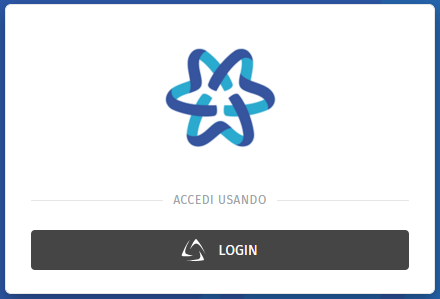](https://knowledgebase.dome-marketplace-prd.org/uploads/images/gallery/2025-06/Quqimage.png)
- Click on the "Register" option following "New user?" at the bottom of the page.
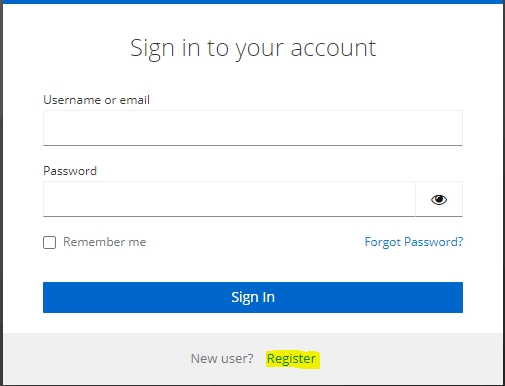
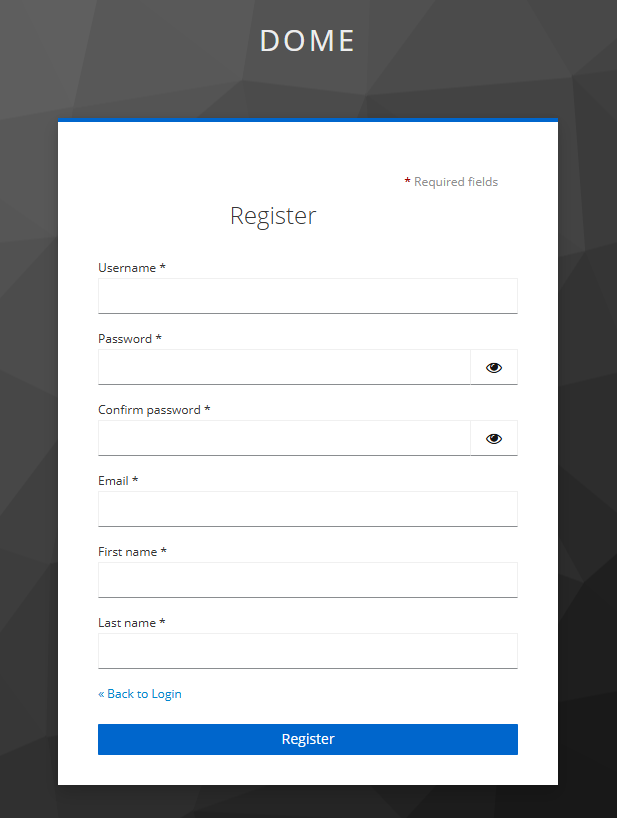
- Fill in the necessary information for creating your account. This tipically includes your email address (for users who are part of the Consortium, a company email address must be entered), username, and password. Then, click on "Create my account" button.
- After entering the required information, the system requires email verification. Check your email for a confirmation link and follow the instructions.
- Once your account is created and verified, return to the login page and log in using your newly created credentials.
[](https://knowledgebase.dome-marketplace-prd.org/uploads/images/gallery/2025-06/Aggimage.png)