# LEAR Credential Employee Issuance
#### **0. "New Credential" Form**
To create a LEAR Credential Employee, click the "**New credential**" button, at the top right corner of the dashboard page, which will take you to the creation form.
[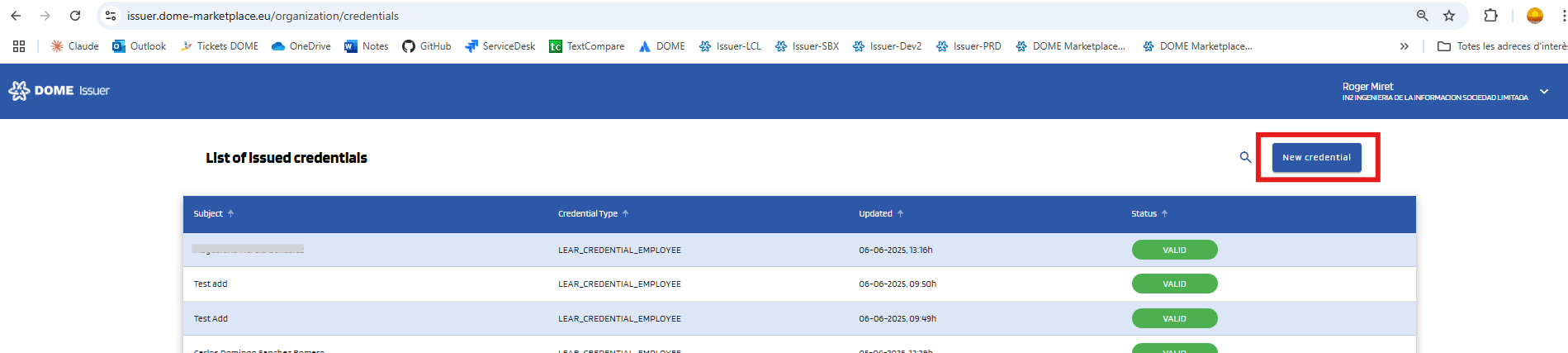](https://knowledgebase.dome-marketplace-prd.org/uploads/images/gallery/2025-06/nLLimage.png)
#### **1. Select the "LEAR Credential Employee" type**
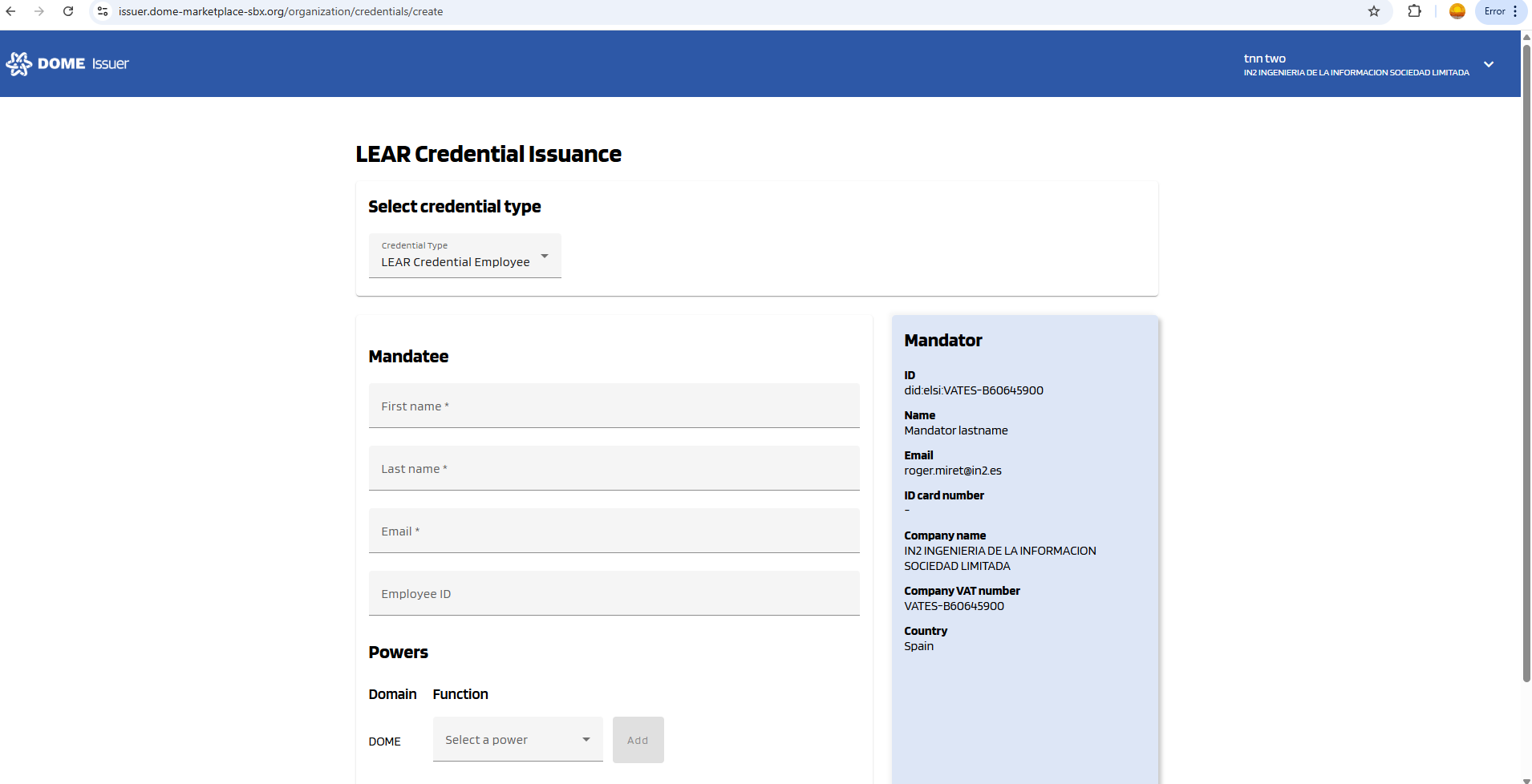
Select the LEAR Credential Employee type in the selector. Then the corresponding form will be displayed:
[](https://knowledgebase.dome-marketplace-dev2.org/uploads/images/gallery/2025-10/eNEimage.png)
#### **2. Complete the "New Credential" form**
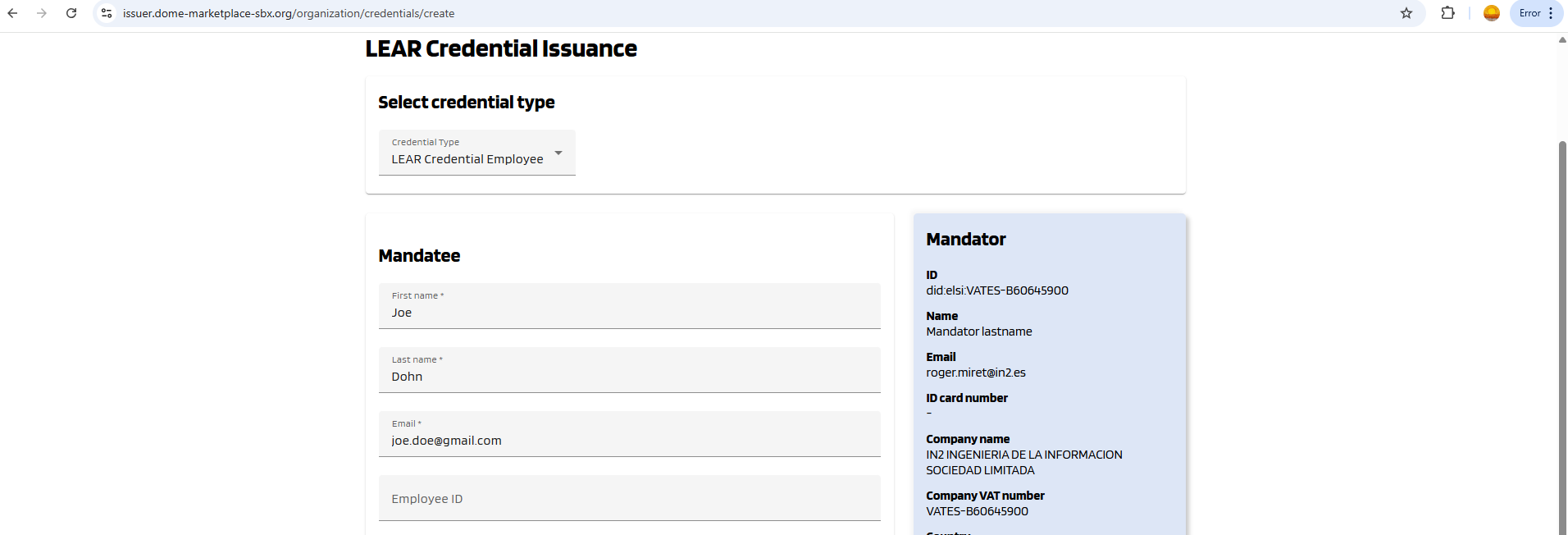
Fill all the Mandatee fields of the form, which are marked with a "\*" symbol. The fields without "\*" are optional --you can left them empty. Below, see an example of filled form.
[](https://knowledgebase.dome-marketplace-dev2.org/uploads/images/gallery/2025-10/grsimage.png)
#### **3. Adding Powers to the Credential Subject**
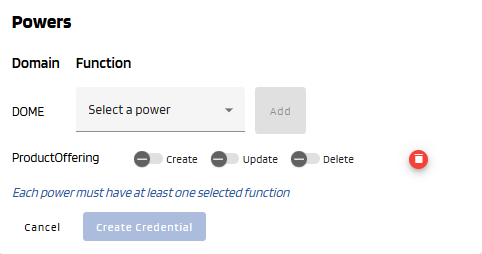
You can add different power using the combo box. **Add at least one power by selecting it in the selector and clicking to the "Add" button. For each added power, select at least one action (toggle buttons).** In the example below, "ProductOffering" represents a power with the "ProductOffering" function, and "Create", "Update" and "Delete" are the actions that can be included in this power. The "Create credential" button is disabled because the ProductOffering power doesn't have any added actions.
To learn mor about powers, see [this guide](https://knowledgebase.dome-marketplace.eu/books/verifiable-credentials-overview/page/lear-credential-powers).
[](https://knowledgebase.dome-marketplace-prd.org/uploads/images/gallery/2025-06/DPEimage.png)
#### **4. Create Credential**
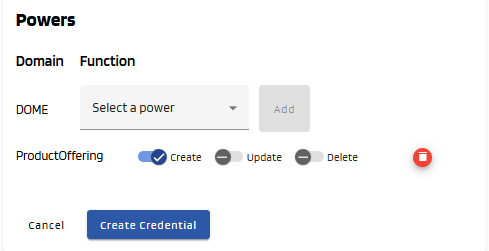
Once all mandatory fields all correctly filled, the **"Create Credential"** button will become brighter, indicating that it can be clicked. Click on it.
[](https://knowledgebase.dome-marketplace-prd.org/uploads/images/gallery/2025-06/vVdimage.png)
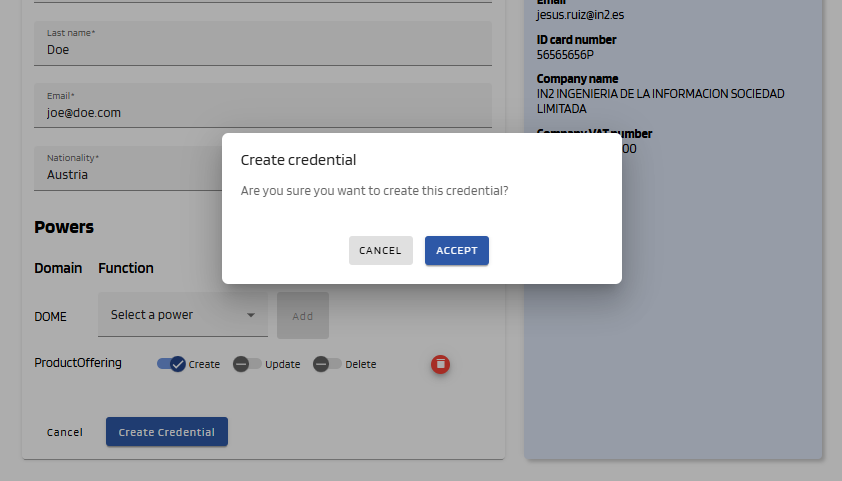
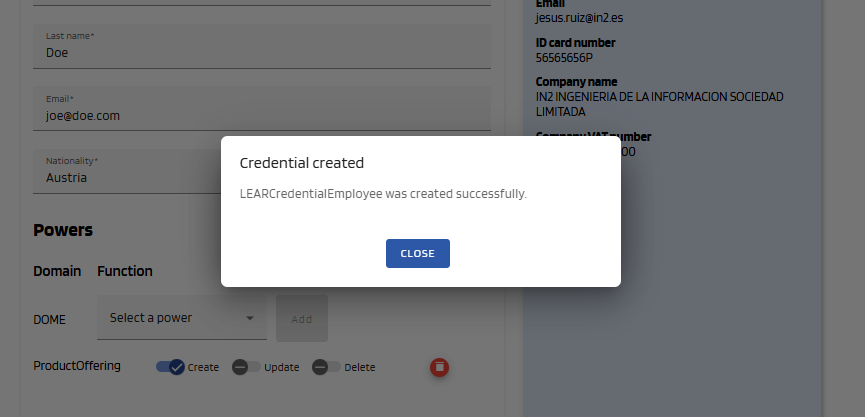
A popup will be displayed to confirm that you want to create the credential. Click "Accept" to create it. If the issuance is successful, a success message will be displayed and you will be redirected to the dashboard page.
[](https://knowledgebase.dome-marketplace-prd.org/uploads/images/gallery/2025-06/5MOimage.png)
[](https://knowledgebase.dome-marketplace-prd.org/uploads/images/gallery/2025-06/4Hvimage.png)
#### **5. See the Issued Credential**
Then you will be redirected to the dashboard and you will see that the Credential you just created has a status of **DRAFT.** After the user downloads it with the Wallet, it will have a status of **VALID** (you might have to refresh the page to see it change). For more details, see the [Credential Management](https://knowledgebase.dome-marketplace.eu/books/dome-credential-issuer-user-guide/chapter/credentials-management) section.
[](https://knowledgebase.dome-marketplace-prd.org/uploads/images/gallery/2025-06/7zZimage.png)