# How to qualify a product (User Guide)

The DOME certification qualification process is one of the steps in the Product Specification process and needs to be completed in the "Compliance profile " step". The product needs to be created to be able to edit the compliance profile section.

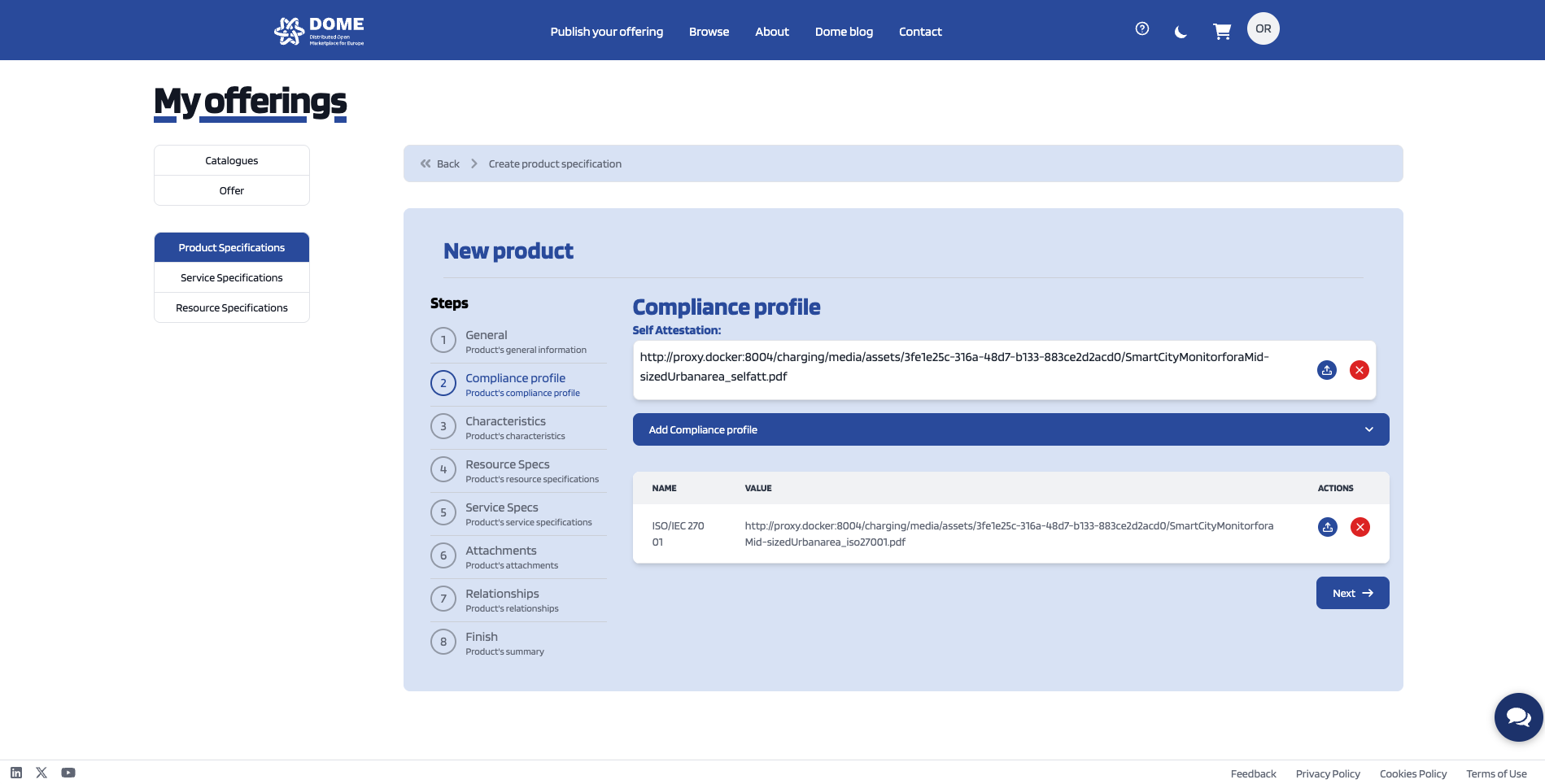
In order to be able to get the DOME compliance profile the product owner needs to upload the signed self-attestattion and the additional certificates (if applicable) to be included in the profile of the product offering.

[![productspeccompliance-2.png](https://knowledgebase.dome-marketplace.eu/uploads/images/gallery/2025-12/scaled-1680-/BJmproductspeccompliance-2.png)](https://knowledgebase.dome-marketplace.eu/uploads/images/gallery/2025-12/BJmproductspeccompliance-2.png)
[![ProductSpecCompliance_1.png](https://knowledgebase.dome-marketplace.eu/uploads/images/gallery/2025-12/scaled-1680-/2I4productspeccompliance-1.png)](https://knowledgebase.dome-marketplace.eu/uploads/images/gallery/2025-12/2I4productspeccompliance-1.png)
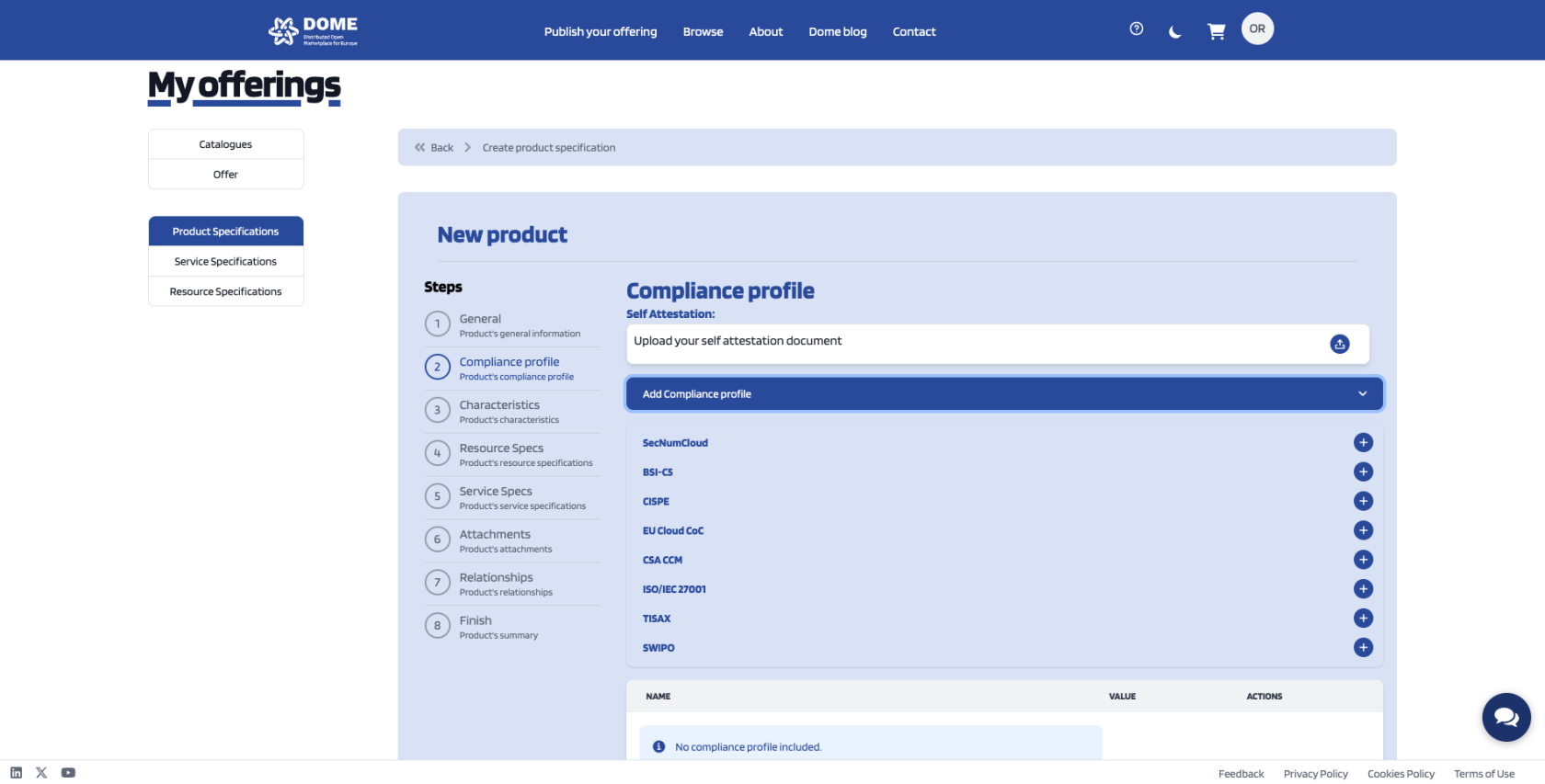
Once the certificates have been uploaded these need to be verified by the DOME operator, who will issue the Verified Credentials (VCs) with the information about the corresponding compliance leve reached by the product offering ( NOTE: The signature of the self-attestation is mandatory to get the Baseline compliance level in DOME).

To get the VCs of the compliance level, DOME implements a validation service that generates the VCs of the certificates by a **DOME Trust Service Provider for Certification.**

 To do so the CSP needs to access the DOME compliance component in the following link: XXXXX (<span style="color: rgb(224, 62, 45);">currently an email needs to be sent to ***<span lang="ES" style="font-size: 11.0pt; font-family: 'Calibri',sans-serif; mso-fareast-font-family: 'Times New Roman'; mso-ansi-language: ES; mso-fareast-language: EN-GB; mso-bidi-language: AR-SA;"><dome-certification@listas.tecnalia.com></span>*** with the certificates </span>) to request the related validation of the information provided and get the VCC for the marketplace.

<span style="text-decoration: underline;">**<span style="font-size: 11pt; font-family: Arial, sans-serif; background-color: transparent; font-style: italic; font-variant: normal; vertical-align: baseline; white-space: pre-wrap;">Accessing the TSPC </span>**</span>

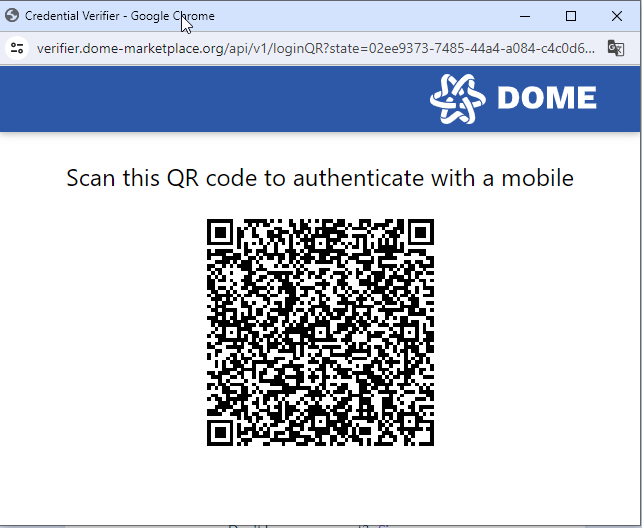
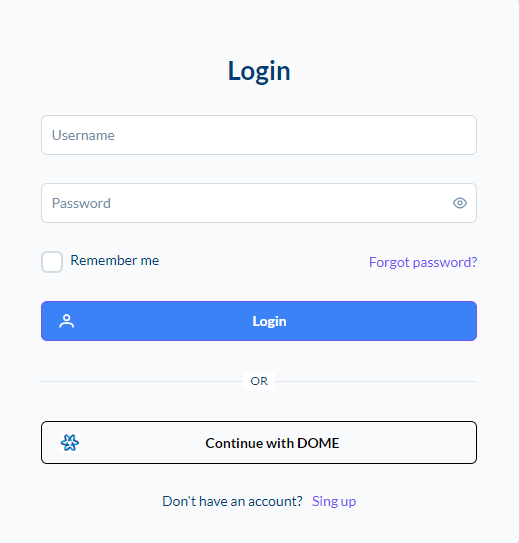
1. Log in with DOME verified credentials in the TSPC
<span style="text-decoration: underline;"><span id="bkmrk--5" style="font-weight: normal;"><span style="font-size: 11pt; font-family: Arial, sans-serif; color: rgb(0, 0, 0); background-color: transparent; font-weight: 400; font-style: normal; font-variant: normal; text-decoration-line: none; white-space-collapse: preserve;"><span style="border-width: initial; border-style: none; display: inline-block; overflow: hidden; width: 463px; height: 484px;">![](https://knowledgebase.dome-marketplace.eu/uploads/images/gallery/2025-12/embedded-image-j4dszvum.png)</span></span></span></span>

<span style="text-decoration: underline;"><span id="bkmrk--7" style="font-weight: normal;"><span style="font-size: 11pt; font-family: Arial, sans-serif; color: rgb(0, 0, 0); background-color: transparent; font-weight: 400; font-style: normal; font-variant: normal; text-decoration-line: none; white-space-collapse: preserve;"><span style="border-width: initial; border-style: none; display: inline-block; overflow: hidden; width: 362px; height: 297px;">![](https://knowledgebase.dome-marketplace.eu/uploads/images/gallery/2025-12/embedded-image-enxwmlcn.png)</span></span></span></span>

<span style="text-decoration: underline;">**<span style="font-size: 11pt; font-family: Arial, sans-serif; background-color: transparent; font-style: italic; font-variant: normal; vertical-align: baseline; white-space: pre-wrap;">Requesting compliance verification to the TSPC </span>**</span>

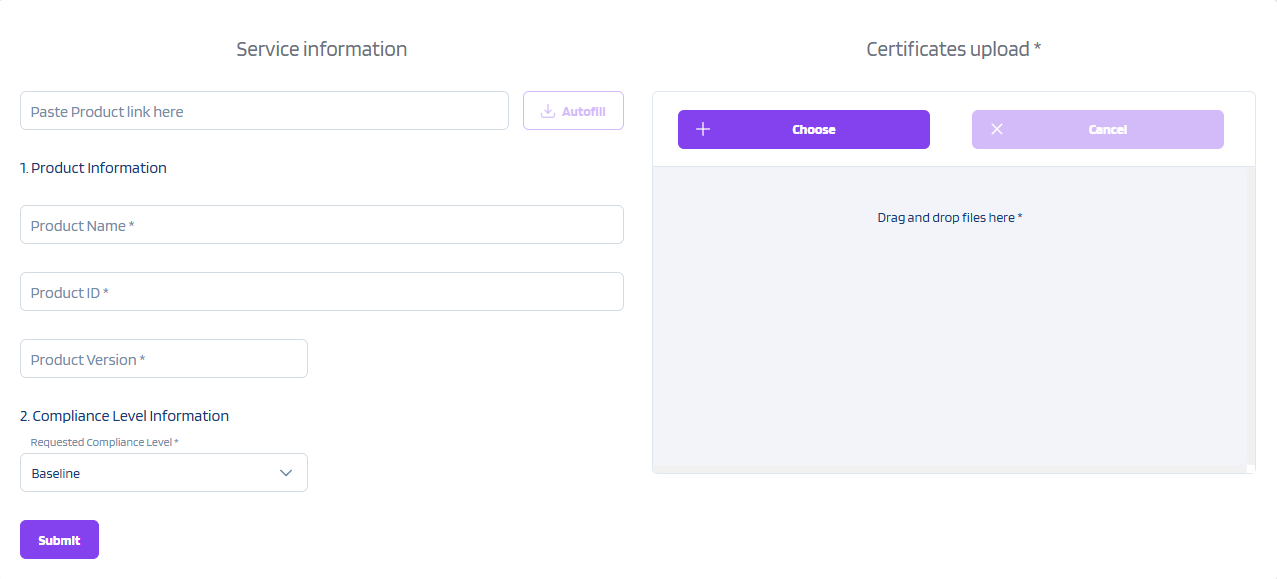
Once the user is logged in, a form is displayed to fill out the information about the product specification and to upload the self-attestation or the certificates
<span style="text-decoration: underline;"><span id="bkmrk--9" style="font-weight: normal;"><span style="font-size: 11pt; font-family: Arial, sans-serif; color: rgb(0, 0, 0); background-color: transparent; font-weight: 400; font-style: normal; font-variant: normal; text-decoration-line: none; white-space-collapse: preserve;"><span style="border-width: initial; border-style: none; display: inline-block; overflow: hidden; width: 602px; height: 273px;">![](https://knowledgebase.dome-marketplace.eu/uploads/images/gallery/2025-12/embedded-image-z010iiwr.png)</span></span></span></span>

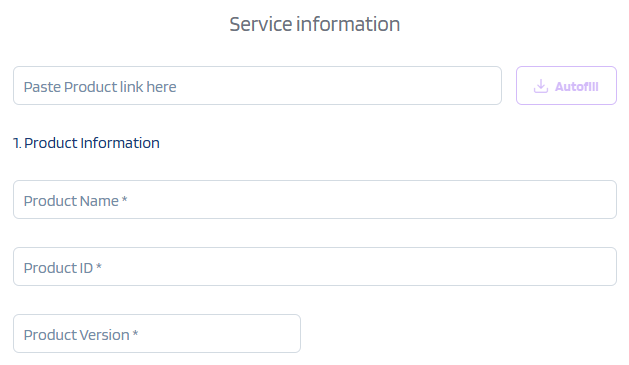
1. Cloud Service Provider pastes the link of the product offering of the marketplace and clicks on the “Autofill” button, product information will be automatically fetched from DOME marketplace. If the “Autofill” option is not clicked, the Cloud Service Provider should fill “Product Name”, “Product ID” and “Product Version” fields.
<span id="bkmrk--11" style="font-weight: normal;"><span style="font-size: 11pt; font-family: Arial, sans-serif; color: rgb(0, 0, 0); background-color: transparent; font-weight: 400; font-style: normal; font-variant: normal; white-space-collapse: preserve;"><span style="border-width: initial; border-style: none; display: inline-block; overflow: hidden; width: 524px; height: 304px;">![](https://knowledgebase.dome-marketplace.eu/uploads/images/gallery/2025-12/embedded-image-bq1kzalw.png)</span></span></span>

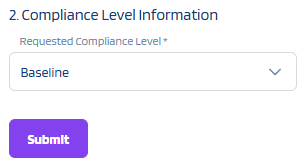
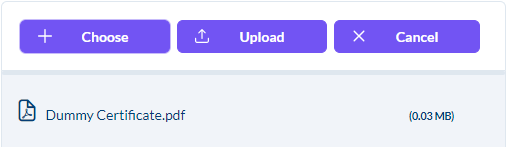
2\. Then, the CSP must select the product’s compliance level and provide evidence for each of the criteria. If the compliance level is the Baseline, the only requirement is to submit the signed self-attestation document.
<span id="bkmrk--16" style="font-weight: normal;"><span style="font-size: 11pt; font-family: Arial, sans-serif; color: rgb(0, 0, 0); background-color: transparent; font-weight: 400; font-style: normal; font-variant: normal; white-space-collapse: preserve;"><span style="border-width: initial; border-style: none; display: inline-block; overflow: hidden; width: 305px; height: 164px;">![](https://knowledgebase.dome-marketplace.eu/uploads/images/gallery/2025-12/embedded-image-d44wp41x.png)</span></span></span>

<span id="bkmrk--18" style="font-weight: normal;"><span style="font-size: 11pt; font-family: Arial, sans-serif; color: rgb(0, 0, 0); background-color: transparent; font-weight: 400; font-style: normal; font-variant: normal; white-space-collapse: preserve;"><span style="border-width: initial; border-style: none; display: inline-block; overflow: hidden; width: 511px; height: 147px;">![](https://knowledgebase.dome-marketplace.eu/uploads/images/gallery/2025-12/embedded-image-mgi9plbb.png)</span></span></span>

3\. Then click on “Submit” button

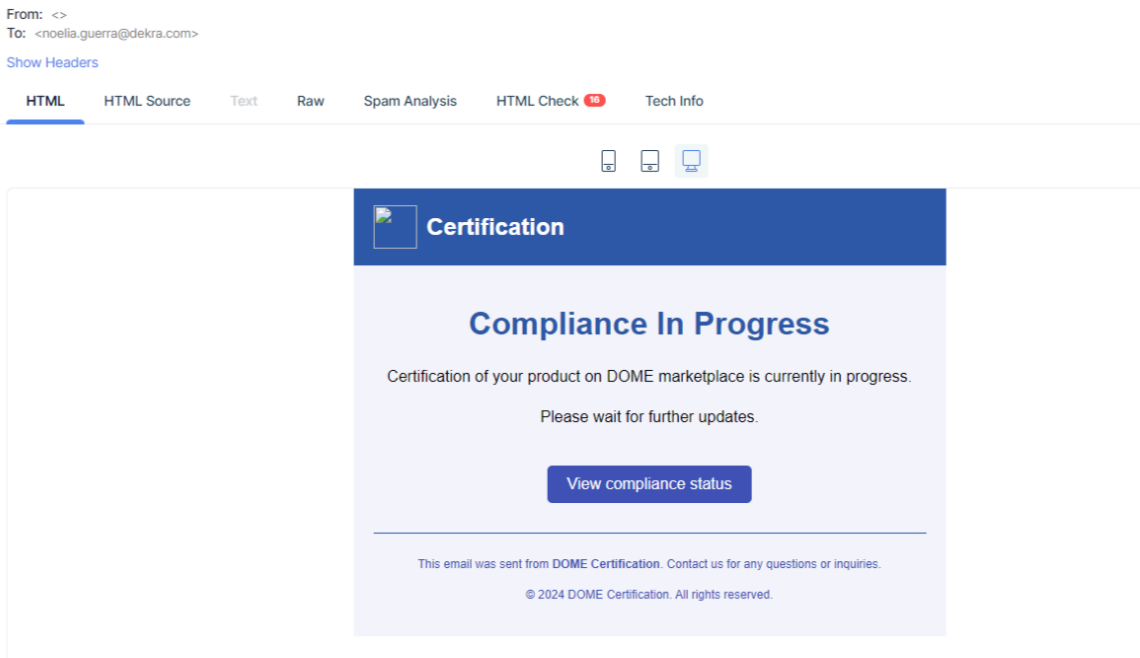
4\. CSP will receive an email indicating that the process is in progress
<span id="bkmrk--20" style="font-weight: normal;"><span style="font-size: 11pt; font-family: Arial, sans-serif; color: rgb(0, 0, 0); background-color: transparent; font-weight: 400; font-style: normal; font-variant: normal; white-space-collapse: preserve;"><span style="border-width: initial; border-style: none; display: inline-block; overflow: hidden; width: 602px; height: 347px;">![](https://knowledgebase.dome-marketplace.eu/uploads/images/gallery/2025-12/embedded-image-s51nlgnw.png)</span></span></span>

<span style="text-decoration: underline;">**<span style="font-size: 11pt; font-family: Arial, sans-serif; background-color: transparent; font-style: italic; font-variant: normal; vertical-align: baseline; white-space: pre-wrap;">Checking the status of the requests</span>**</span>

After log in, CSP can check the status of all their requests clicking on Dashboard tab

<span style="text-decoration: underline;"><span id="bkmrk--22" style="font-weight: normal;"><span style="font-size: 11pt; font-family: Arial, sans-serif; color: rgb(0, 0, 0); background-color: transparent; font-weight: 400; font-style: normal; font-variant: normal; text-decoration-line: none; white-space-collapse: preserve;"><span style="border-width: initial; border-style: none; display: inline-block; overflow: hidden; width: 602px; height: 49px;">![](https://knowledgebase.dome-marketplace.eu/uploads/images/gallery/2025-12/embedded-image-wcmfjni7.png)</span></span></span></span>

<span style="text-decoration: underline;">**<span style="font-size: 11pt; font-family: Arial, sans-serif; background-color: transparent; font-style: italic; font-variant: normal; vertical-align: baseline; white-space: pre-wrap;"><span style="font-size: 11pt; font-family: Arial, sans-serif; background-color: transparent; font-style: italic; font-variant: normal; vertical-align: baseline; white-space: pre-wrap;">Receiving the results of the validation</span></span>**</span>

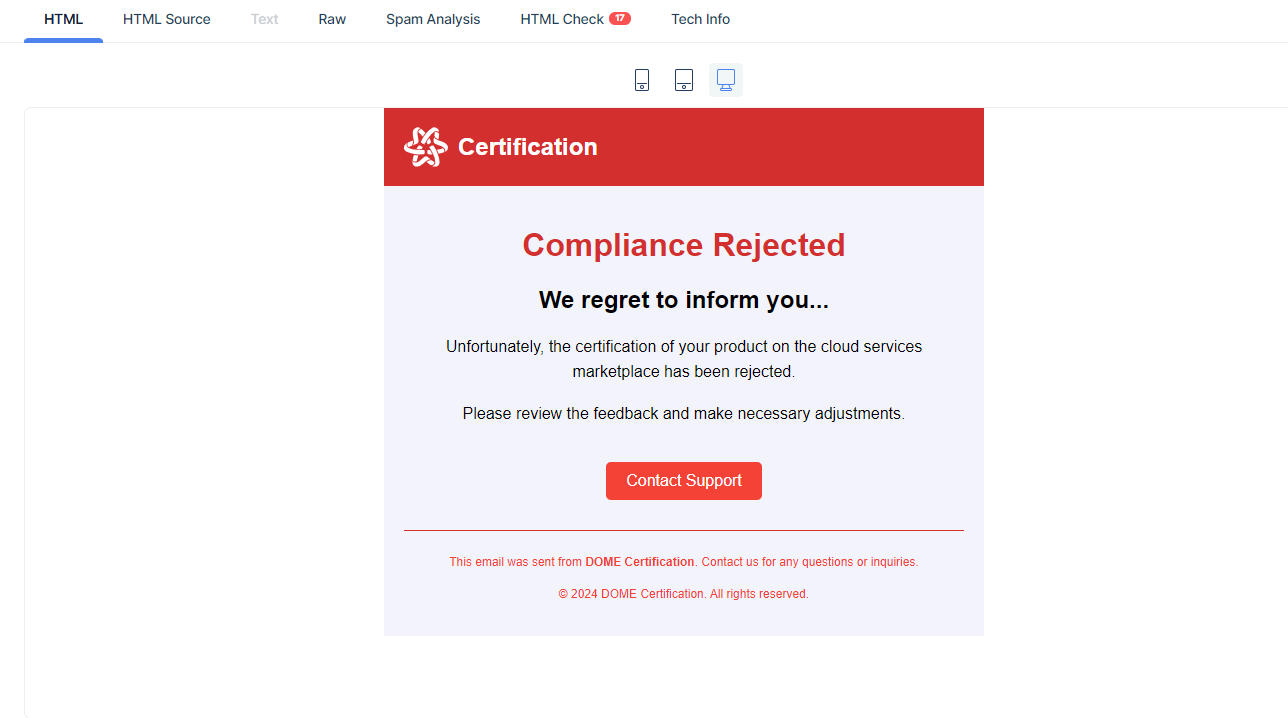
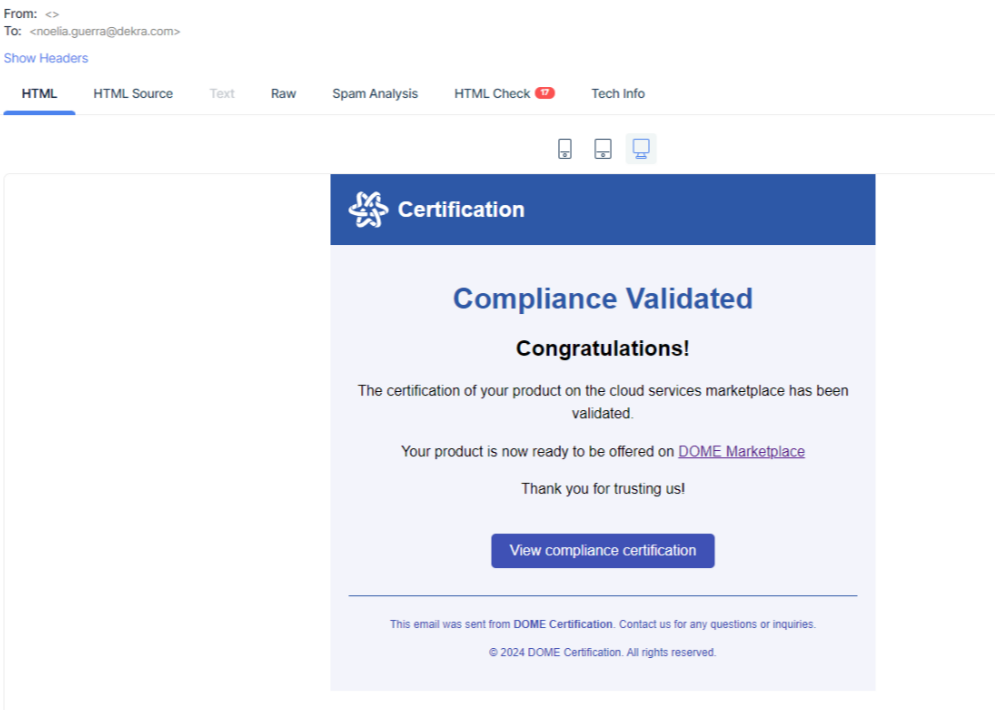
**Once the validation process is finalised the CSP will get a notification through the email , and the compliance status is directly updated in the marketplace:**
![](https://knowledgebase.dome-marketplace.eu/uploads/images/gallery/2025-12/embedded-image-mqnyolcl.png)

**<span id="bkmrk--25" style="font-weight: normal;"><span style="font-size: 11pt; font-family: Arial, sans-serif; color: rgb(0, 0, 0); background-color: transparent; font-weight: 400; font-style: normal; font-variant: normal; white-space-collapse: preserve;"><span style="border-width: initial; border-style: none; display: inline-block; overflow: hidden; width: 602px; height: 313px;">![](https://knowledgebase.dome-marketplace.eu/uploads/images/gallery/2025-12/embedded-image-l2zx7p7q.png)</span></span></span>**

If the requested compliance level has not been acheived, the CSP will be requested to implement the corrective actions in the email.,