Onboarding Guidelines
- 1. Introduction
- 2. Prerequisites for Onboarding
- 3. Launching the Onboarding process
- 4. Submission and verification of Documentation
- 5. Signing the Marketplace Terms and Conditions
- 6. Generation of LEAR Verifiable Credentials
- 7. Contact and Support
1. Introduction
Purpose of the Guide
This guide is designed to facilitate the onboarding process for new Cloud Service Providers (CSPs) in the Marketplace, ensuring a clear understanding of the necessary steps to complete registration and start publishing offers.
Scope of the Marketplace
The Marketplace is a digital platform that enables CSPs to offer cloud and edge computing services to enterprise customers across Europe.
The main goal of the onboarding process is the creation of an operating account for the CSPs from which they can operate within the Marketplace and start publishing their offerings.
The process is structured in three main steps:
-
Launching of the process and provision of company information and documentation
-
Verification of the company documentation and contract signature
-
Generation of the verifiable credential for the Legal Entity Appointed Representative (LEAR)
Upon the generation of the LEAR verifiable credential, the CSP is fully operational. The LEAR is the person that the CSP appoints formally, vested with all the necessary powers of representation, to interact within the DOME Marketplace with other companies.
You can find more information about the LEAR here.
Remark about the legal checks
Ensuring a high level of trust in the operation of the Marketplace is a priority for the Marketplace. To achieve that, we have opted for using verifiable credentials as the means of authenticating the operators of the CSP accounts. The generation of verifiable credentials requires the verification of the claims concerning the company and the claims of its representatives (e.g., whether the company exists, the capacity of representing the company of an individual, etc.). That is why the onboarding process requires the verification of a set of legal documentation to be submitted by the CSPs.
If a Qualified Digital Certificate of the legal entity in the sense of the eIDAS Regulation is used, most of these verifications have been made by the qualified trust services providers authorised to generate those certificates, and the DOME Marketplace relies on those verifications. That is why the set of documents to be sent is much lighter for the companies having the eIDAS Qualified Digital Certificate.
We strongly encourage the CSPs willing to onboard on the Marketplace to use eIDAS Digital Certificates in the onboarding process. This will ease the process and the subsequent operation of the lifecycle of the LEAR authorization including the revocation of a LEAR appointment.
2. Prerequisites for Onboarding
Eligibility Verification
Before launching the onboarding process, make sure that you meet the following criteria:
- You are a legal entity duly registered in an EU country.
- You have the capability to offer cloud or edge services you own (i.e., you are not acting as a reseller of a third party).
- The target users of the offerings you publish are other companies or legal entities or professionals, not consumers.
3. Launching the Onboarding process
When you enter into the DOME Marketplace landing page, you will be asked whether you want to register as a Provider or as a Customer by clicking the appropriate button .
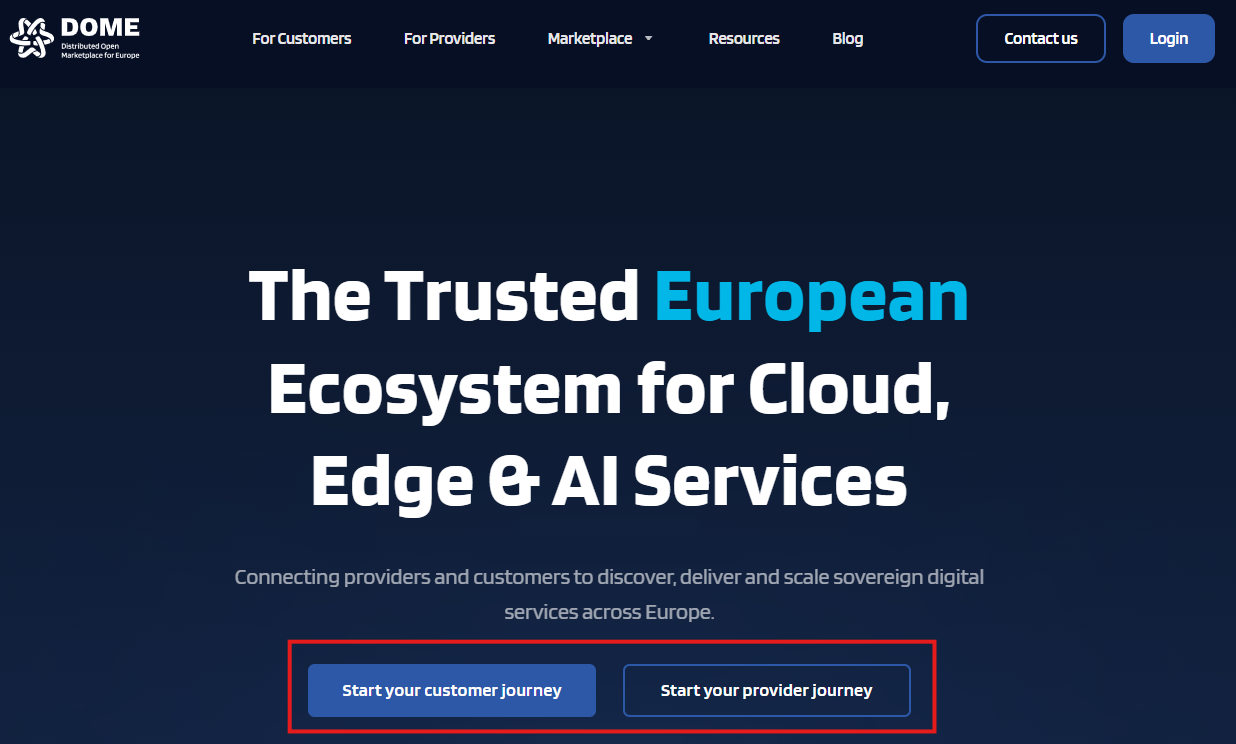
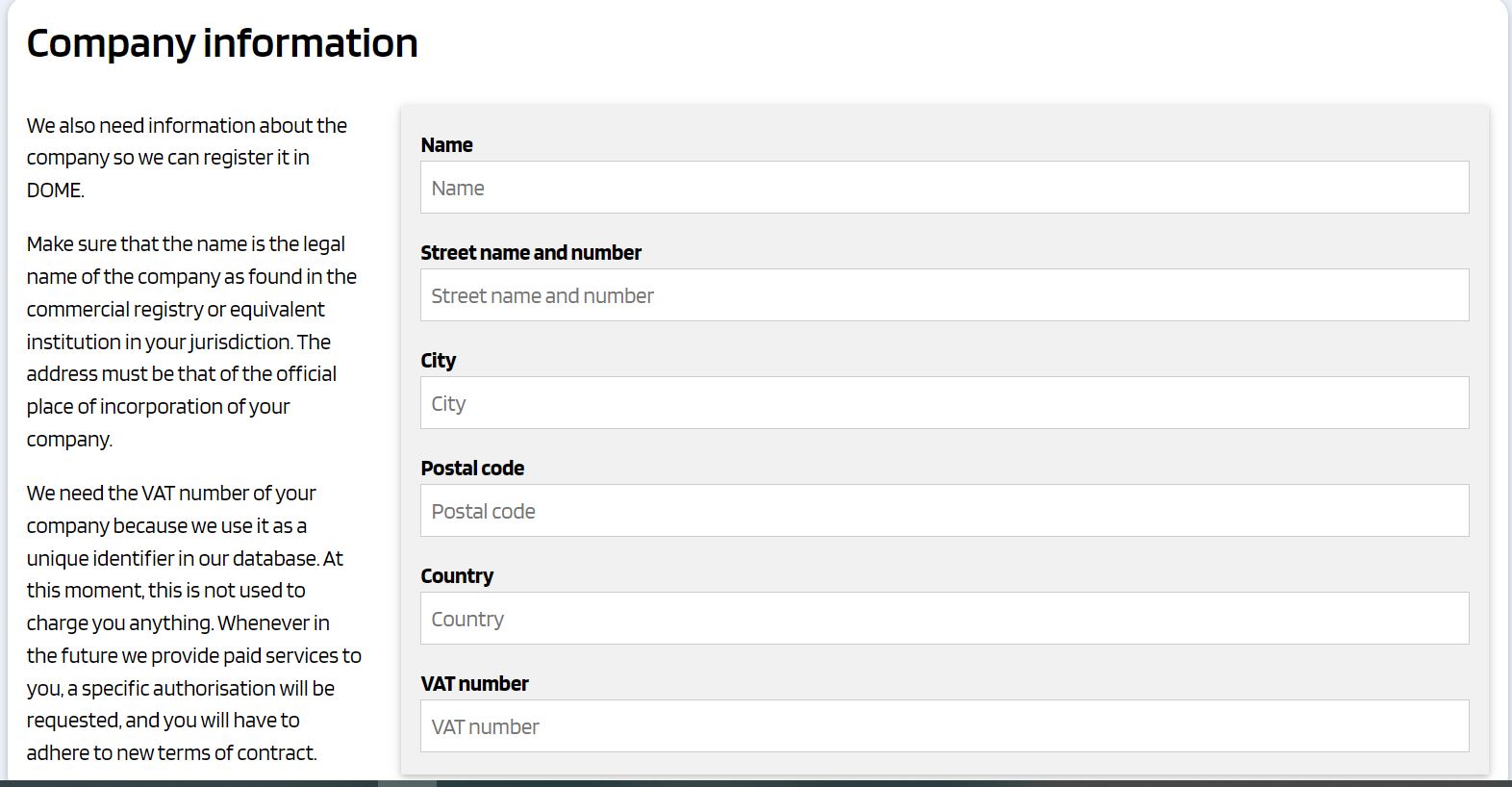
This button leads you to the online forms where you must enter the information requested. The information you are providing will be used to generate the Declaration of Honor and the Legal Entity Appointed Representative Form that the CSP is required to submit in the onboarding process.
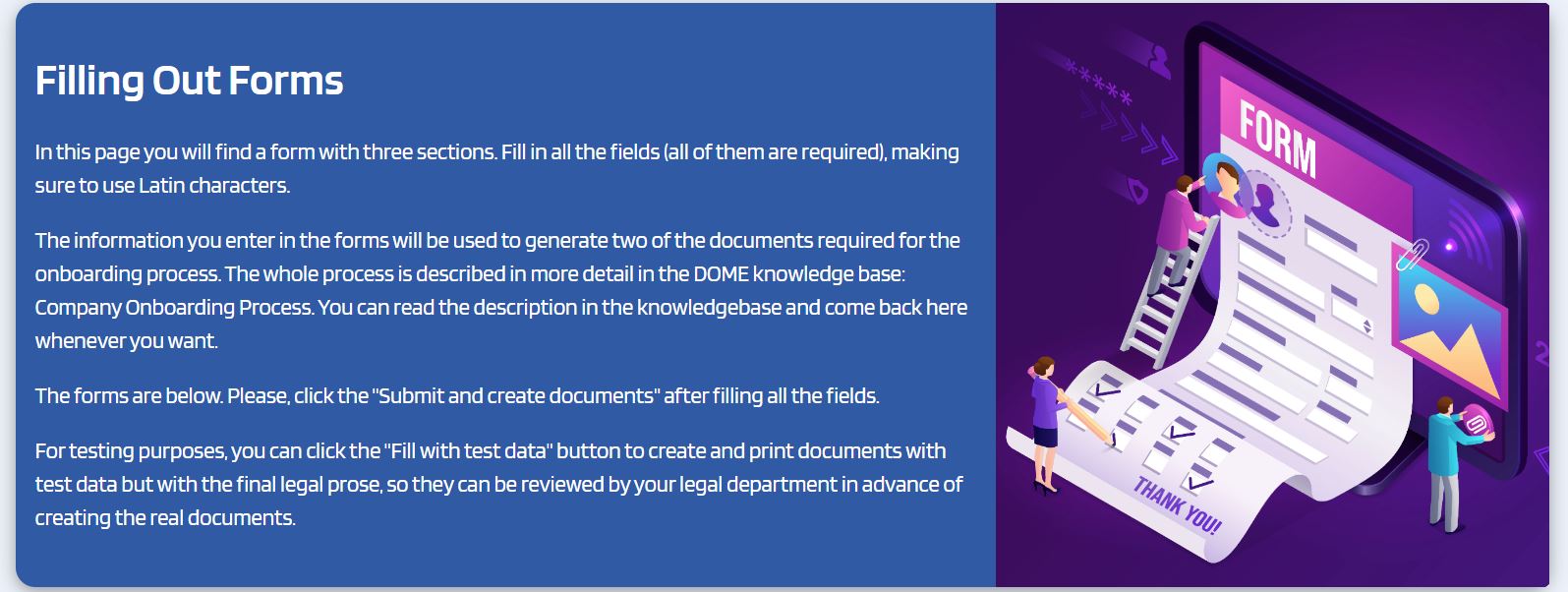
There are three forms:
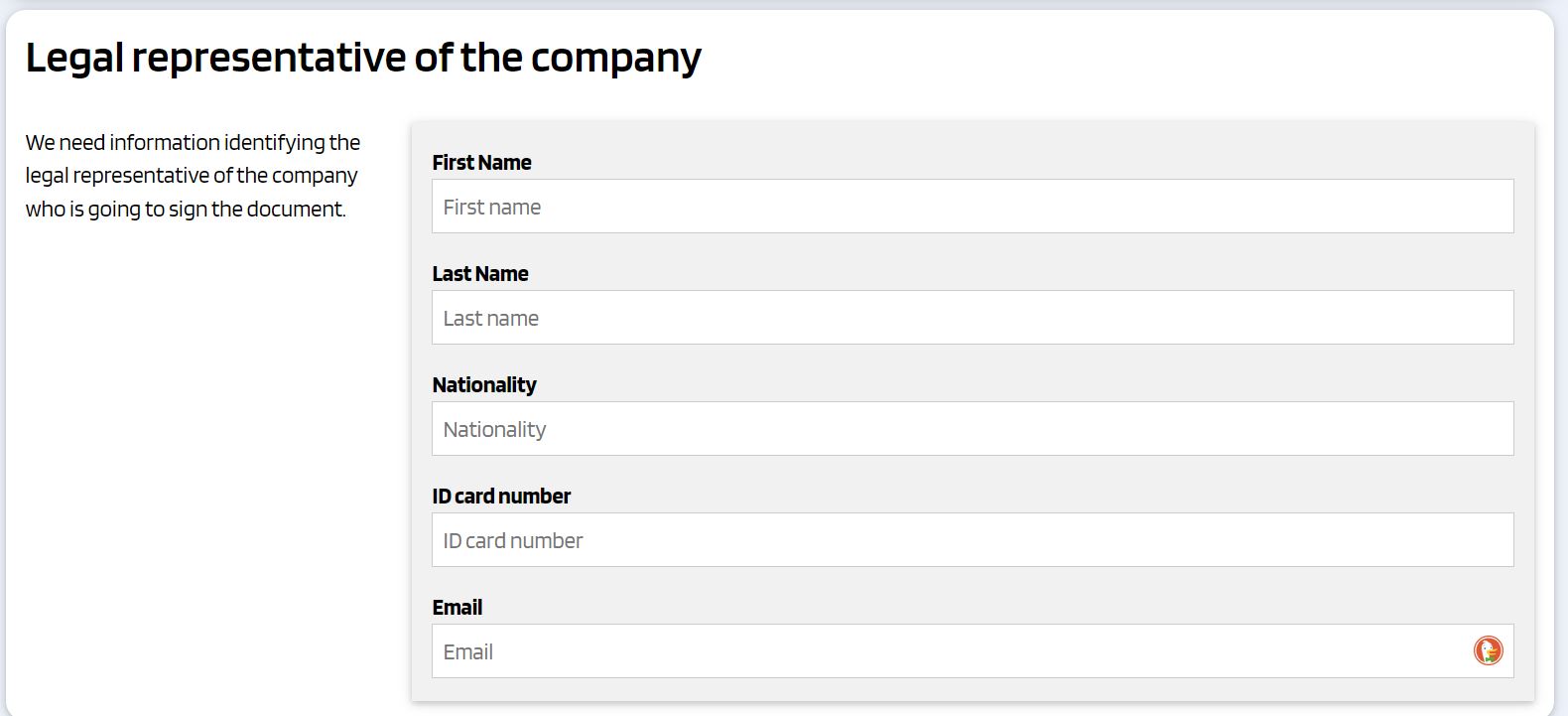
- The first one is used for collecting information about the legal representative of you company
2. The second one gathers information about your company
3. The third one requires information for identifying the Legal Entity Appointed Representative
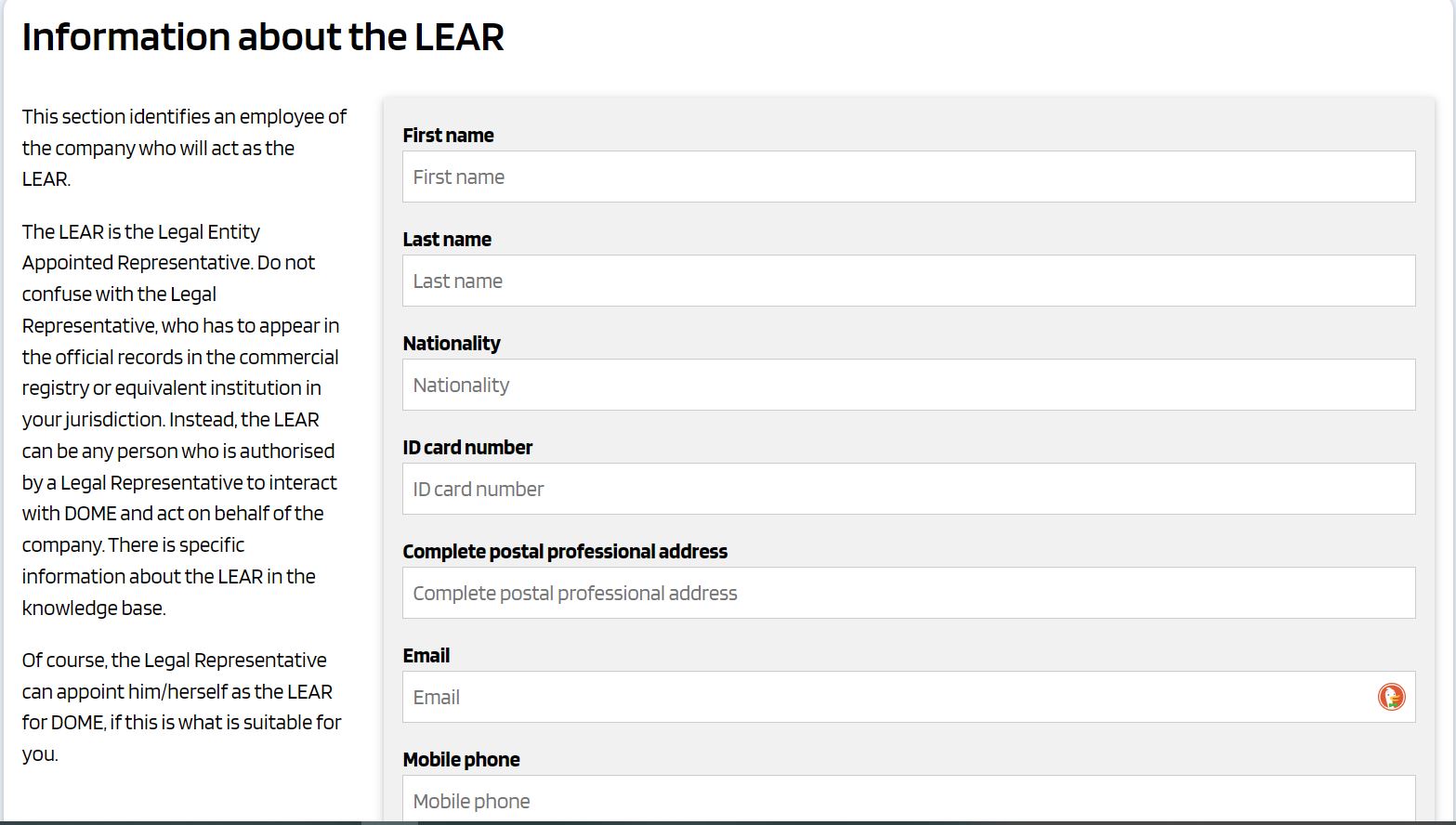
All the fields are mandatory unless otherwise stated in the forms.
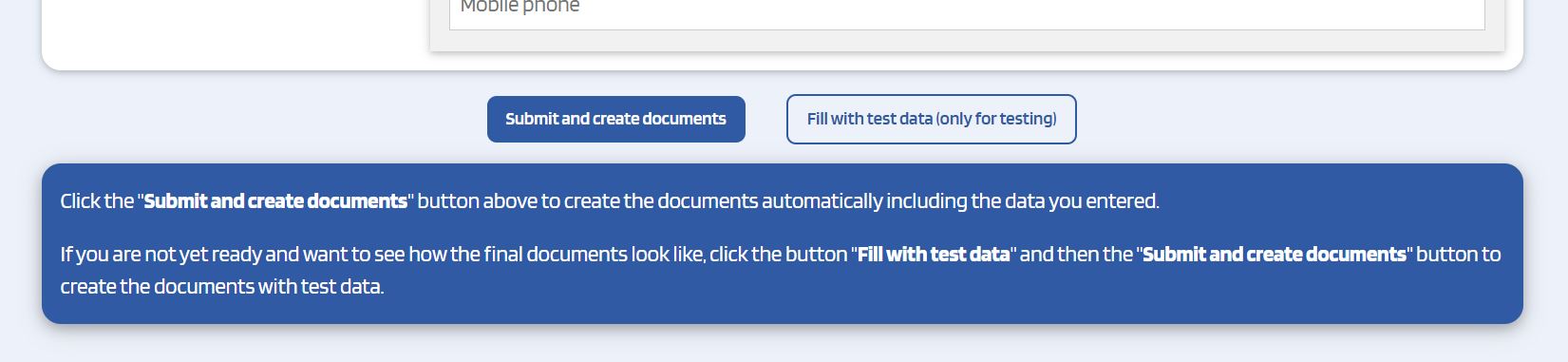
If you want to review the forms before completing the forms, you can either click on the links provided above, or otherwise press the 'Fill with test data (only for testing)' button, at the bottom of the online forms.
Please, bear in mind that we use the term "legal representative" to refer to somebody vested with legal power to represented the company. This representeation power can emerge from, among other options: (a) the law attributed legal representation of the company because of the position held by the individual (e.g., in some jurisdictions, the president or the CEO of a company);or (b) being appointed as legal representative by virtue of an official Power of Attorney.
If you have any doubt about the appointment of the LEAR, please, kindly refer to the Practical comments to Appointment Of Legal Entity Appointed Representative Form. This document offers practical advice and detailed instructions on how to properly fill out the LEAR form.
Once you have filled in the information requested, when you click the 'Submit and create documents', you will get to another screen where the declarations have been automatically generated with your data.
Please, carefully check all the data you submit before creating the documents to make sure that all the information is correct.
Once you have generated the documents, you must print the Declaration of Honor and the LEAR appointment form.
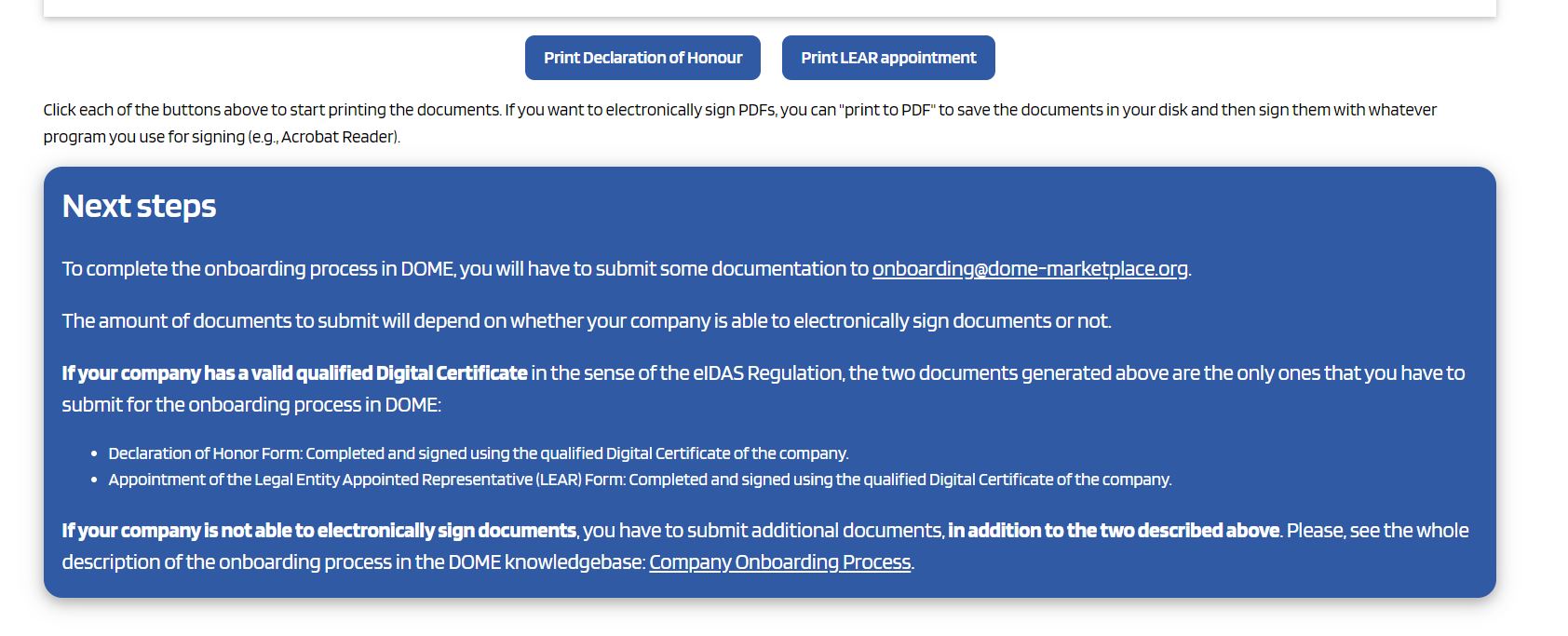
When you have the documents in pdf you will move to the next stage of the onboarding process: the submission of the required documentation and its legal review by the onboarding team of DOME.
4. Submission and verification of Documentation
Required Documentation
Depending on whethter you sign them digitally or manually you will be required to send more documentation.
If the CSP company has a valid qualified Digital Certificate in the sense of the eIDAS Regulation you will need to submit only:
- Declaration of Honor Form: Completed and signed using the qualified Digital Certificate of the company.
- Appointment of the Legal Entity Appointed Representative (LEAR) Form: Completed and signed using the qualified Digital Certificate of the company.
Please note that, as used in this guidelines, the term "company valid qualified Digital Certificate" is referring to a digital certificate that validly identifies a natural person as a representative of a legal person. The digital certificate itself must provide the information of such represntative status.
The validity of the qualified digital certificated used may be checked using third party tools, such as, but not necessarily limited to, the European Commission Digital Signature Services demonstration WebApp. You expressly consent to the use of such verification means to verify the validity of the digital certificates used to sign the documents you submit to the DOME Marketplace.
| Important note: the CSP legal representative can appoint her/himself as a LEAR of the CSP, and there can be more than one active LEARs for a single CSP. |
|
Important note: in the Appointment of the Legal Entity Appointed Representative (LEAR) Form, the appointed LEAR must sign the document accepting the appointment along with the CSP legal representative. The appointed LEAR should sign with a natural person qualified digital certificate, however, signing with a company qualified Digital Certificate designating she/he as legal representative is also acceptable. When the person acting as Legal Representative of the CSP is appointing her/himself as LEAR, the company qualified Digital Certificate can be used for both appointing the LEAR and for the LEAR accepting the appointment. |
If the validity of the Company Digital Certificate verification is not successful, then you will have to submit the whole set of documents described in the following section.
If the CSP company doesn’t have a valid qualified Digital Certificate (eIDAS Regulation) you will need to submit:
- Certificate of Incorporation: This document must display the complete name of the company, its date of incorporation, and the address of the registered office. It should not be older than three (3) months from the date the potential CSP is submitting its application to onboard.
- VAT Certificate: Issued by the competent authority in the country of registration. This certificate must not be older than three (3) months from the date of application.
- Power of Attorney: A certified copy of the power of attorney or another document evidencing the source of the power of representation of the legal representative acting on behalf of the potential CSP.
- Appointment of the Legal Entity Appointed Representative (LEAR) Form: Completed and signed.
- Declaration of Honor Form: Completed and signed.
- Sworn Translations: A sworn translation into English of any document not origially drafted in English must be provided.
Once you have full set of documents you must send them to onboarding@dome-marketplace.eu.
Documentation Review and Notification Process
After the required documentation has been submitted, the review process begins. It may take more than five business days. Once achieved, you will receive a notification about the status of their documentation:
- Documentation Correct and Complete: If all documents are correct and fully compliant, a notification confirming the correctness and completeness will be sent.
- Error, Mistake, or Information Missing: If there are any errors, mistakes, or missing information, you will be notified and given a fourteen (14) days term to complete or correct the documentation. Here's what happens next:
- The new information will be reviewed once submitted.
- If the corrections or additional documents are not provided in a satisfactory manner within the specified fourteen (14) days, then we will deem that you relinquish from your onboarding request.
It's crucial that all information provided during the application process is accurate and complete to prevent any delays or rejection during the review phase.
5. Signing the Marketplace Terms and Conditions
Contract Signing
After your documentation is verified and you are notified of approval, either your Legal Representative or the appointed LEAR must sign the Marketplace Terms and Conditions for Cloud Service Providers. A copy of the contract will be generated with your company data and sent to you.
This document outlines all legal requirements and operational standards expected from the CSPs within the Marketplace.
If you want to review the Contract before completing the oboarding process, you can download the DOME Marketplace Contract for Cloud Service Providers and the DOME Marketplace Procedures, which is a document incorporated into the Contract by reference.
Remember: If you have onboarded through the process for CSPs having a valid eIDAS company digital certificate, you must use this certificate to sign the Marketplace Contract for Cloud Service Providers.
Submitting the Signed Contract
Once signed, the contract must be sent via email to onboarding@dome-marketplace.eu. Only after this contract is received and processed by the DOME onboarding team the process of generating the verifiable credential will continue.
6. Generation of LEAR Verifiable Credentials
Within the DOME ecosystem, Verifiable Credentials serve as the foundation of digital identity and access control. They ensure that every action in the Marketplace can be securely traced back to the company represented by the user, while minimizing the risk of tampering through multi-factor verification.
Users authenticate with their credential to access the platform, publish company offerings, and—when available—manage commercial transactions.
The company information you provide — including details about the LEAR designation — is essential for generating Verifiable Credentials in a consistent and trustworthy manner. This ensures a high level of reliability, strengthening confidence and adding value for all Marketplace users, whether they are Cloud Service Providers (CSPs) or Cloud Customers.
Once the signed copy of the Marketplace Terms and Conditions for Cloud Service Providers has been received and confirmed, the process to generate your LEAR Credential will begin. You will then receive an email with a Credential Offer to complete the activation. Follow this guide for detailed instructions.
Completing this process is mandatory to activate your CSP account in the Marketplace. Without it, you will not be able to operate your account, even if you have already signed the Marketplace Contract for Cloud Service Providers.
⚠️Important: The Credential Offer email is valid for 72 hours. After this period, the offer expires, and you will need to request a new one.
After obtaining the credential in your Wallet account, your CSP account becomes fully operational. You can then:
-
Start listing your offerings in the Marketplace (see the guide), and
-
Access the Issuer (see the guide) to create credentials for your employees.
By issuing LEAR Credentials, the Marketplace guarantees that only individuals authorized by a CSP can operate within that CSP’s account. This significantly reduces the risk of unauthorized or fraudulent listings, enhancing trust across the platform — both for Cloud Customers and for CSPs — by ensuring that every action performed in the Marketplace is verifiably tied to an authorized company representative.
7. Contact and Support
For further help, contact our technical support here.